
Memberikan AI agent memori dan konteks lokal dengan mengelola tugas, catatan, dan dokumen sebagai file Markdown di disk Anda.
Juga dikenal sebagai rgdevment/mcp-plugins, tisty-mcp
- Stars
- 1
- Tools
- —
- Unduhan, 30 hari
- —
- Versi terbaru
- —
- Commit terakhir
- 14 Nov 2026
- Lisensi
- Apache-2.0
Apa itu Tisty MCP?
Memberikan AI agent memori dan konteks lokal dengan mengelola tugas, catatan, dan dokumen sebagai file Markdown di disk Anda.
Ringkasan dibuat dari README proyek
Tentang Tisty MCP server
mcp-plugins memungkinkan Anda memberikan memori yang persisten kepada AI agent melalui file Markdown lokal. Dengan menggunakan plugin Tisty, developer dapat mencegah asisten kehilangan konteks di antara sesi yang berbeda. Sistem ini mengelola tugas dengan langkah-langkah spesifik, jurnal bertanggal, dan dokumen berbasis subjek langsung di disk Windows atau macOS Anda. Pengaturan ini memastikan setiap tahap pekerjaan agent, mulai dari perencanaan awal hingga keputusan akhir, tercatat dalam format yang dapat diaudit alih-alih hilang dalam riwayat chat.
Untuk menggunakan ini, Anda perlu menginstal aplikasi Tisty dan Node.js di komputer Anda. Anda dapat terhubung melalui Claude Code, Gemini CLI, atau Cursor. Plugin Tisty menggunakan launcher kecil untuk menghubungkan asisten Anda ke aplikasi lokal, memastikan server selalu sesuai dengan data Anda. Fitur ini berfungsi tanpa akun, langganan, atau telemetri, sehingga menjaga semua informasi tetap privat di hardware Anda sendiri. Agent dapat membaca dokumen panjang per bagian, membagi tugas ke dalam folder, dan mengelola sticky notes di Brainstorm untuk mengorganisir ide.
Apa yang bisa Anda lakukan dengannya
- 1Mempertahankan konteks proyek jangka panjangMinta AI agent Anda untuk mengambil informasi dari sesi sebelumnya dengan mengakses dokumen Markdown yang tersimpan.
- 2Mengelola workflow tugas yang terstrukturBiarkan asisten memecah pekerjaan kompleks menjadi langkah-langkah spesifik dan melacak progres menggunakan tugas bertanggal.
- 3Membaca file besar secara efisienInstruksikan agent untuk menganalisis bagian tertentu dari sebuah dokumen alih-alih memproses seluruh file sekaligus.
- 4Mengorganisir ide spontanGunakan fitur Brainstorm untuk menangkap pemikiran cepat yang nantinya dapat diubah menjadi tugas atau dokumen formal.
Ditulis berdasarkan README proyek. Setiap use case diperiksa terhadap kutipan dari README tersebut.
Cara menginstal Tisty MCP
Format diverifikasi 10 Nov 2026Tambahkan ke CursorTambahkan ke GooseInstal Tisty MCP di Claude Code
$ claude mcp add mcp-plugins -- npx -y tisty-mcpInstal Tisty MCP di Cursor
~/.cursor/mcp.json
{
  "mcpServers": {
    "mcp-plugins": {
      "command": "npx",
      "args": [
        "-y",
        "tisty-mcp"
      ]
    }
  }
}Instal Tisty MCP di VS Code
.vscode/mcp.json
{
  "servers": {
    "mcp-plugins": {
      "type": "stdio",
      "command": "npx",
      "args": [
        "-y",
        "tisty-mcp"
      ]
    }
  }
}Instal Tisty MCP di VS Code CLI
$ code --add-mcp '{"name":"mcp-plugins","type":"stdio","command":"npx","args":["-y","tisty-mcp"]}'Instal Tisty MCP di Claude Desktop
claude_desktop_config.json
{
  "mcpServers": {
    "mcp-plugins": {
      "command": "npx",
      "args": [
        "-y",
        "tisty-mcp"
      ]
    }
  }
}Instal Tisty MCP di Codex
$ codex mcp add mcp-plugins -- npx -y tisty-mcpInstal Tisty MCP di Codex config.toml
~/.codex/config.toml
[mcp_servers.mcp-plugins]
command = "npx"
args = ["-y", "tisty-mcp"]
Instal Tisty MCP di Gemini CLI
$ gemini mcp add -s user mcp-plugins npx -- -y tisty-mcpInstal Tisty MCP di Gemini settings.json
~/.gemini/settings.json
{
  "mcpServers": {
    "mcp-plugins": {
      "command": "npx",
      "args": [
        "-y",
        "tisty-mcp"
      ]
    }
  }
}Pengecekan otomatis
Berjalan 14 Nov 2026Laporan lengkap →Lolos checks otomatis kami. Ini bukan audit keamanan: baca kodenya dan berikan server akses paling terbatas yang dibutuhkannya. Cara kerja checks

- Source repository terhubung dan dapat dijangkaurgdevment/mcp-plugins is public and reachablegithub.com/rgdevment/mcp-plugins ↗Lolos
- Nama paket mencantumkan repositori ini sebagai sumbernyatisty-mcp names rgdevment/mcp-plugins as sourcenpmjs.com/package/tisty-mcp ↗Lolos
- Provenance build (atestasi Sigstore)Sigstore attestation for tisty-mcpnpmjs.com/package/tisty-mcp/v/1.3.1#provenance ↗Lolos
- Lisensi open source (OSI)Apache-2.0spdx.org/licenses/Apache-2.0.html ↗Lolos
- Ada commit atau release dalam satu tahun terakhirLast commit or release 2026-11-12github.com/rgdevment/mcp-plugins ↗Lolos
- OpenSSF ScorecardTidak diperiksa
- Nama package tidak mirip dengan package populerNo popular package one edit away from tisty-mcpLolos
- Tidak ada advisory kritis pada paket atau dependensinyaTidak diperiksa
- Tidak ada instruksi tersembunyi untuk model0 tool descriptions and the README read; no override phrases, credential paths or hidden charactersLolos
- Tools yang bersifat destruktif telah diberi labelTidak diperiksa
- Endpoint remote merespons handshake MCPTidak diperiksa
README
Lihat di GitHubmcp-plugins
Plugins that connect assistants to apps by rgdevment. Each plugin brings an app's MCP server and a skill that teaches the assistant how to work with it. The apps run on your own computer; the plugins only tell your assistant how to reach them.
Install
Claude Code, in one step:
/plugin install tisty --marketplace rgdevment/mcp-plugins
Or add the marketplace first and install from it:
/plugin marketplace add rgdevment/mcp-plugins
/plugin install tisty@rgdevment
Gemini CLI:
gemini extensions install https://github.com/rgdevment/mcp-plugins
Cursor: install from the Cursor Directory, or add this repository as a plugin source in Cursor's settings.
Plugins
Tisty
Local memory and context for you and your AI agent. Your agent forgets everything when the session ends; Tisty keeps it. Tasks with steps and a dated journal, and documents one per subject, as plain Markdown on your own disk, for Windows and macOS. Ideas caught on the fly wait as sticky notes in Brainstorm, to become a task or go into a document later. No account, no subscription, no telemetry, no server. With the plugin, your assistant picks up where it left off by asking what moved since last time, reads a long document by its outline and one section instead of the whole file, files tasks with steps and dates, sets reminders, writes and edits documents passage by passage, files them into folders, jots and sorts ideas with you and searches open and archived work. It never closes or deletes anything: it says a task is done and you confirm it.
Your agents' work, in the open. Through Tisty, an agent plans in documents and works in tasks: it writes the plan, what it found and what it decided as Markdown, breaks the work into tasks with steps and ticks them off as it goes. Nothing stays buried in a chat: every stage lands in Tisty, on your computer, where you can follow it as it happens and audit it later. When it says a task is done, you are the one who closes it.
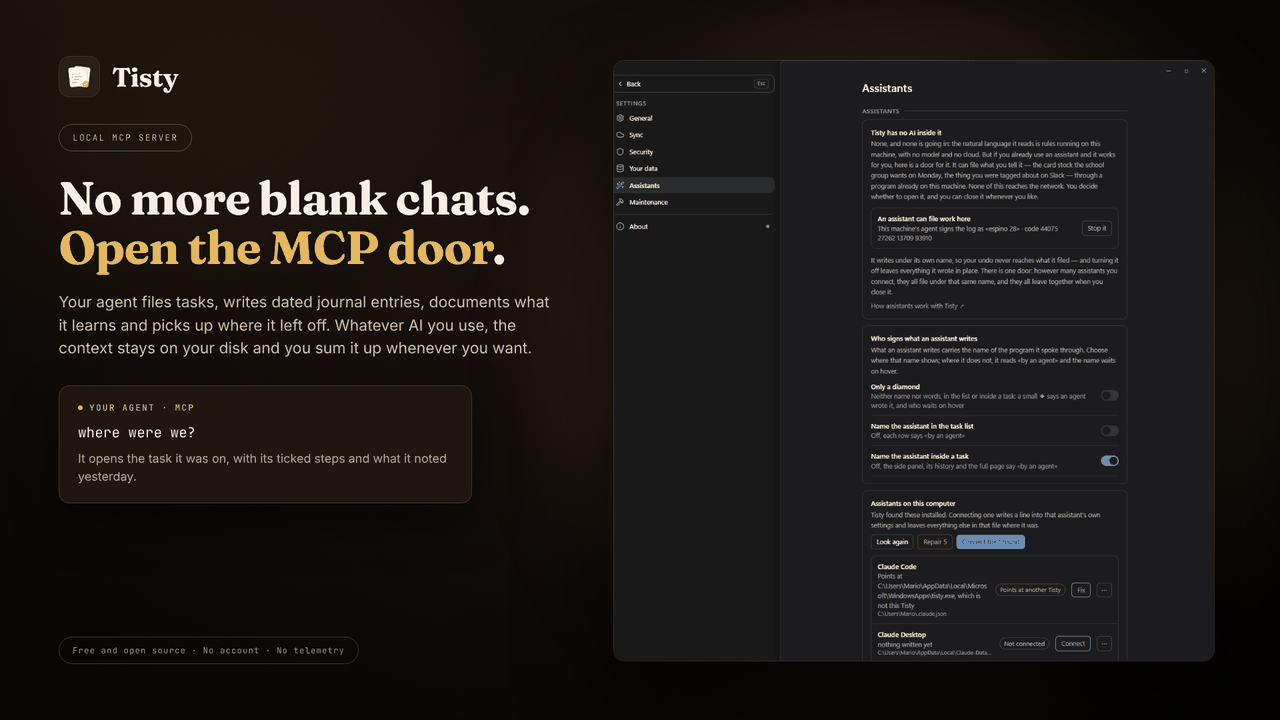
Requires the Tisty app and Node.js. A small launcher finds the Tisty
installed on your computer and starts its own MCP server, so the server always
matches the app and your data. Without Tisty, it tells your assistant how to
install it. Other assistants, such as GitHub Copilot in VS Code, take the same
launcher from npm: npx -y tisty-mcp. More in the plugin's readme.
| Install Tisty | |
|---|---|
| Windows | Microsoft Store or winget install rgdevment.Tisty |
| macOS | brew tap rgdevment/tap && brew trust rgdevment/tap && brew install --cask tisty |
| Every way | Installation guide |
If your assistant does not see Tisty's tools, restart it after installing Tisty. Connect Tisty either with this plugin or from Tisty's Settings › Assistants, not both, so the assistant does not run Tisty's server twice.
| Learn more | |
|---|---|
| Website | https://www.tisty.app/ |
| Documentation | https://www.tisty.app/docs/ |
| Assistants and MCP | https://www.tisty.app/docs/assistants-and-mcp/ |
| What an assistant may do | https://www.tisty.app/docs/mcp-permissions/ |
| MCP tools | https://www.tisty.app/docs/mcp-tools/ |
| Writing in Tisty | https://markdown.tisty.app |
| Privacy | https://www.tisty.app/privacy/ |
| Official MCP Registry | io.github.rgdevment/tisty |
| Source | https://github.com/rgdevment/Tisty |
| Issues | https://github.com/rgdevment/Tisty/issues |
Layout
.claude-plugin/marketplace.json   Claude Code marketplace
.cursor-plugin/marketplace.json   Cursor marketplace
gemini-extension.json             Gemini CLI extension (the Tisty plugin)
plugins/<app>/                    one folder per plugin, with each host's manifest,
                                  its MCP config, its skills and its launcher
test/                             tests for the launchers
listings/                         manifests some directories publish from
Licence
Apache-2.0. Each app keeps its own licence: Tisty is AGPL-3.0. Report a problem with an app in that app's own issues.
Pertanyaan tentang Tisty MCP
Bagaimana cara menambahkan Tisty MCP ke Claude Code?
Jalankan claude mcp add mcp-plugins -- npx -y tisty-mcp di terminal Anda. Tambahkan --scope user agar tersedia di semua proyek.
Bagaimana cara menambahkan Tisty MCP ke Cursor?
Buka ~/.cursor/mcp.json dan tambahkan server di bawah mcpServers, menggunakan config Cursor yang ditunjukkan di bagian instalasi di atas.
Bagaimana Tisty menangani privasi dan data?
Tisty beroperasi secara lokal di komputer Anda tanpa akun, tanpa langganan, tanpa telemetri, dan tanpa server.
Apa saja persyaratan sistem untuk Tisty?
Menggunakan plugin Tisty memerlukan aplikasi Tisty yang terinstal di komputer Anda dan Node.js.
Bisakah saya menggunakan Tisty dengan VS Code?
Ya, asisten lain seperti GitHub Copilot di VS Code dapat menggunakan launcher Tisty melalui npm.