
Publikasikan HTML hasil generate AI sebagai link live yang bisa dibagikan dan perbarui halaman yang sudah ada di URL yang sama.
Juga dikenal sebagai phanosh/host-html, host-html-mcp
- Stars
- 1
- Tools
- —
- Unduhan, 30 hari
- —
- Versi terbaru
- 0.2.1
- Commit terakhir
- 3 Nov 2026
- Lisensi
- MIT
Apa itu host-html MCP?
host-html adalah MCP server. Publikasikan HTML hasil generate AI sebagai link live yang bisa dibagikan dan perbarui halaman yang sudah ada di URL yang sama.
Ringkasan dibuat dari README proyek
Tentang host-html MCP server
Mengubah kode hasil generate AI menjadi website live adalah fungsi utama host-html bagi developer yang menggunakan Claude Code, Cursor, atau Codex. Dengan memberikan konten HTML ke server, Anda dapat secara instan membuat link yang bisa dibagikan untuk menghosting karya Anda secara online tanpa perlu mengelola deployment pipeline atau server apa pun. Tool ini dirancang untuk pengguna yang ingin berpindah dari interface chat ke preview web fungsional dalam hitungan detik.
Untuk menggunakan server ini, Anda harus membuat akun gratis dan menyediakan personal API key melalui environment variable HOSTHTML_API_KEY. Sistem menyediakan dua tool utama: publish_html untuk membuat link live baru dan update_page untuk memperbarui konten pada halaman yang sudah ada di URL yang sama. Meskipun fitur publikasi tersedia untuk akun gratis, fitur lanjutan seperti custom slug dan proteksi password memerlukan paket Pro atau Team. Server ini juga mendukung ekspor slide HTML ke file PDF berkualitas tinggi melalui command host-pdf.
Apa yang bisa Anda lakukan dengannya
- 1Publikasi instant web previewBuat URL live untuk snippet HTML yang dihasilkan selama sesi coding.
- 2Konversi slide menjadi dokumenUbah slide presentasi berbasis HTML menjadi file PDF berkualitas tinggi.
Ditulis berdasarkan README proyek. Setiap use case diperiksa terhadap kutipan dari README tersebut.
Cara menginstal host-html MCP
Format diverifikasi 10 Nov 2026Tambahkan ke CursorTambahkan ke GooseInstal host-html MCP di Claude Code
$ claude mcp add --env 'HOSTHTML_API_KEY=<YOUR_HOSTHTML_API_KEY>' host-html -- npx -y host-html-mcpInstal host-html MCP di Cursor
~/.cursor/mcp.json
{
  "mcpServers": {
    "host-html": {
      "command": "npx",
      "args": [
        "-y",
        "host-html-mcp"
      ],
      "env": {
        "HOSTHTML_API_KEY": "<YOUR_HOSTHTML_API_KEY>"
      }
    }
  }
}Instal host-html MCP di VS Code
.vscode/mcp.json
{
  "servers": {
    "host-html": {
      "type": "stdio",
      "command": "npx",
      "args": [
        "-y",
        "host-html-mcp"
      ],
      "env": {
        "HOSTHTML_API_KEY": "<YOUR_HOSTHTML_API_KEY>"
      }
    }
  }
}Instal host-html MCP di VS Code CLI
$ code --add-mcp '{"name":"host-html","type":"stdio","command":"npx","args":["-y","host-html-mcp"],"env":{"HOSTHTML_API_KEY":"<YOUR_HOSTHTML_API_KEY>"}}'Instal host-html MCP di Claude Desktop
claude_desktop_config.json
{
  "mcpServers": {
    "host-html": {
      "command": "npx",
      "args": [
        "-y",
        "host-html-mcp"
      ],
      "env": {
        "HOSTHTML_API_KEY": "<YOUR_HOSTHTML_API_KEY>"
      }
    }
  }
}Instal host-html MCP di Codex
$ codex mcp add host-html --env 'HOSTHTML_API_KEY=<YOUR_HOSTHTML_API_KEY>' -- npx -y host-html-mcpInstal host-html MCP di Codex config.toml
~/.codex/config.toml
[mcp_servers.host-html]
command = "npx"
args = ["-y", "host-html-mcp"]

[mcp_servers.host-html.env]
HOSTHTML_API_KEY = "<YOUR_HOSTHTML_API_KEY>"
Instal host-html MCP di Gemini CLI
$ gemini mcp add -s user -e 'HOSTHTML_API_KEY=<YOUR_HOSTHTML_API_KEY>' host-html npx -- -y host-html-mcpInstal host-html MCP di Gemini settings.json
~/.gemini/settings.json
{
  "mcpServers": {
    "host-html": {
      "command": "npx",
      "args": [
        "-y",
        "host-html-mcp"
      ],
      "env": {
        "HOSTHTML_API_KEY": "<YOUR_HOSTHTML_API_KEY>"
      }
    }
  }
}Konfigurasi
HOSTHTML_API_KEYWajibRahasiaPersonal API key (hh_...) from host-html.com → Account → API keys
| Nama | Deskripsi | Tipe |
|---|---|---|
| HOSTHTML_API_KEY | Personal API key (hh_...) from host-html.com → Account → API keys | WajibRahasia |
Pengecekan otomatis
Berjalan 13 Nov 2026Laporan lengkap →Lolos checks otomatis kami. Ini bukan audit keamanan: baca kodenya dan berikan server akses paling terbatas yang dibutuhkannya. Cara kerja checks

- Source repository terhubung dan dapat dijangkauLolos
- Lisensi open source (OSI)Lolos
- Ada commit atau release dalam satu tahun terakhirLolos
- Nama package tidak mirip dengan package populerLolos
- Remote endpoint menggunakan HTTPSLolos
- Tools yang bersifat destruktif telah diberi labelTidak diperiksa
- Tidak ada instruksi tersembunyi untuk modelLolos
- Tidak ada advisory kritis pada paket atau dependensinyaLolos
README
Lihat di GitHubhost-html
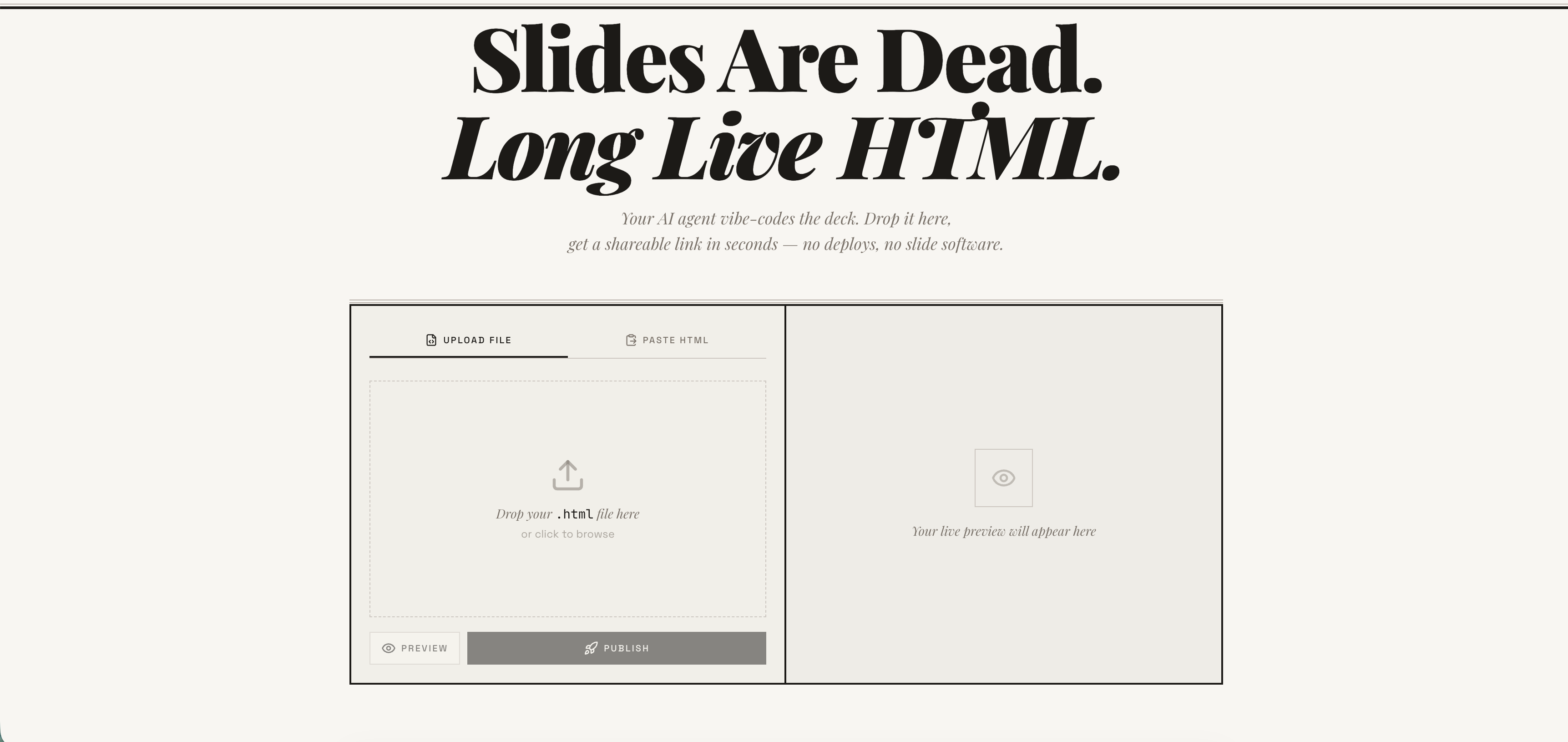
Publish any HTML file as a live link — instantly. Free account required. No deploy pipeline, no server to manage. → host-html.com
Heads up — breaking change in v2.0.0: Anonymous publishing has been retired. Publishing now requires a free, email-verified host-html account and a personal API key set as
HOSTHTML_API_KEY. See Setup: get an API key. Older releases that relied on the built-in shared key will stop publishing.
Install
Claude Code
/plugin marketplace add phanosh/host-html
/plugin install host-html@host-html
The official Claude Code marketplace listing is in the works — until it lands, install directly from this repo with the two commands above.
Claude Desktop, Cursor, Codex (MCP server)
// claude_desktop_config.json / .cursor/mcp.json / .mcp.json
{
  "mcpServers": {
    "host-html": {
      "command": "npx",
      "args": ["-y", "host-html-mcp"],
      "env": { "HOSTHTML_API_KEY": "hh_your_key_here" }
    }
  }
}
Two tools: publish_html (HTML in, link out) and update_page (new HTML, same link).
Source and docs: mcp-server/ · npm: host-html-mcp
Other AI Agents (Skills)
npx skills add phanosh/host-html -g -y
Then use the skills:
/host-html          # publish HTML as a live link
/host-pdf           # export HTML slides to PDF
/host-html finds the HTML, publishes it, and hands you a live URL in seconds.
/host-pdf captures each slide at retina quality and assembles a PDF.
Works with Claude Code, Cursor, Codex, Copilot, and 40+ more agents.
Setup: get an API key
Publishing now requires a free host-html account:
-
Sign in (free) at host-html.com
-
Confirm your email
-
Go to Account → API keys → Create key
-
Copy the generated key (starts with
hh_…— shown once) -
Set it as an environment variable:
export HOSTHTML_API_KEY=hh_your_key_here
The skill reads HOSTHTML_API_KEY automatically. Custom slugs (see the Direct
API table below) still require a Pro/Team plan; publishing itself does not.
Update
When a new version is released here, pull it into your local Claude Code with:
/plugin marketplace update phanosh/host-html
That single command refreshes the marketplace catalog and installs any version bumps in marketplace.json, plugin.json, or the skill frontmatter. To check what you're on:
/plugin
To stay current automatically, open /plugin, go to the Marketplaces tab, select phanosh/host-html, and toggle auto-update on — Claude Code will then pull updates on startup.
For the standalone skills install (npx skills add ...), re-run the same command to upgrade:
npx skills add phanosh/host-html -g -y
Direct API
The publish edge function requires a personal host-html API key (format
hh_…) as the bearer token — see Setup to generate
one. Pass it via the Authorization header (no apikey header is needed):
curl -X POST https://suifgsvtcbrawzdhyuhk.supabase.co/functions/v1/publish \
  -H "Authorization: Bearer $HOSTHTML_API_KEY" \
  -H "Content-Type: application/json" \
  -d '{"html": "<h1>Hello</h1>", "title": "my page"}'
Request
| Field | Type | Required | Description |
|---|---|---|---|
html |
string | ✓ | HTML content (max 1MB) |
title |
string | Page title | |
slug |
string | Custom URL path matching ^[a-z0-9-]{2,64}$ (paid plans) |
|
password |
string | Password-protect the page (4–72 chars, paid plans, JSON body only) |
Response 201
{
  "url": "https://host-html.com/p/abc123",
  "slug": "abc123",
  "edit_token": "...",
  "page_id": "...",
  "has_password": false,
  "expires_at": "2026-03-16T..."
}
has_password is true when the request set a password (the page is locked
and served from private storage); false otherwise.
expires_at is string | null. On a free plan it is the ISO timestamp when the page goes
dark; on a paid plan the page never expires and the field is null. It is the authoritative
expiry — read it from the response rather than assuming a fixed duration, and handle the null
rather than formatting it as a date.
License
MIT
Pertanyaan tentang host-html MCP
Bagaimana cara menambahkan host-html MCP ke Claude Code?
Jalankan claude mcp add --env 'HOSTHTML_API_KEY=<YOUR_HOSTHTML_API_KEY>' host-html -- npx -y host-html-mcp di terminal Anda. Tambahkan --scope user agar tersedia di semua proyek.
Bagaimana cara menambahkan host-html MCP ke Cursor?
Buka ~/.cursor/mcp.json dan tambahkan server di bawah mcpServers, menggunakan config Cursor yang ditunjukkan di bagian instalasi di atas.
Bagaimana cara mempublikasikan HTML menggunakan host-html?
Anda dapat menggunakan tool publish_html untuk mengubah konten HTML menjadi link live.
Bisakah saya memperbarui halaman tanpa mengubah URL?
Ya, tool update_page memungkinkan Anda memberikan HTML baru dengan tetap menggunakan link yang sama.
Apakah saya perlu akun untuk melakukan publikasi?
Ya, publikasi memerlukan akun host-html gratis yang sudah terverifikasi email dan personal API key.