
MCP server de agentsync
Commit 13 nov 2026Sincroniza reglas, skills y configuraciones de MCP en múltiples agentes de codificación con IA e IDEs desde una única fuente de verdad.
También conocido como x0c/agentsync
- Stars
- 9
- Herramientas
- —
- Descargas, 30 días
- —
- Última versión
- —
- Último commit
- 13 nov 2026
- Licencia
- MIT
¿Qué es agentsync MCP?
agentsync es un MCP server. Sincroniza reglas, skills y configuraciones de MCP en múltiples agentes de codificación con IA e IDEs desde una única fuente de verdad.
Resumen generado a partir del README del proyecto
Acerca del MCP server de agentsync
agentsync proporciona una forma centralizada de gestionar reglas, skills y configuraciones de MCP para una gran variedad de IDEs y agentes de codificación con IA. En lugar de actualizar manualmente los ajustes en cada herramienta, mantienes una única fuente de verdad en un directorio de configuración local. Esto incluye instrucciones globales en AGENTS.md, carpetas de skills personalizadas y un archivo mcp.json para las definiciones de servidores.
La herramienta funciona como un binario independiente y ligero que es compatible con Windows, macOS y Linux. Los usuarios pueden instalarlo mediante PowerShell, shell scripts, Homebrew o Go. Una vez instalado, puedes previsualizar los cambios con el comando --check o usar el comando --watch para enviar actualizaciones automáticamente a tus herramientas. Es compatible con una lista masiva de clientes, incluyendo Claude Code, Cursor, Windsurf, Zed, Aider Desk y muchos otros.
Este sistema garantiza que tus preferencias de codificación y las capacidades de tus herramientas se mantengan consistentes en diferentes entornos. Se encarga del trabajo pesado de escribir configuraciones en los formatos nativos de cada herramienta específica y crea automáticamente copias de seguridad de los archivos reemplazados. Aunque gestiona la configuración global de la máquina, también incluye un modo de repositorio para vincular archivos específicos de un proyecto, como CLAUDE.md, a tus instrucciones centrales.
Qué puedes hacer con él
- 1Sincronizar instrucciones globales de IAActualiza tus reglas de codificación una sola vez para aplicarlas en todos los agentes de IA e IDEs instalados.
- 2Centralizar la gestión de servidores MCPGestiona todas tus configuraciones de MCP server desde un único archivo mcp.json.
- 3Automatizar actualizaciones de configuraciónUsa un watcher para enviar cambios desde tu fuente central a tus herramientas de forma automática.
- 4Proteger las configuraciones existentesVuelve a los ajustes anteriores si una sincronización causa problemas.
Escrito a partir del README del proyecto. Cada caso de uso se verifica con una cita del mismo.
Verificaciones automáticas
Ejecutado 14 nov 2026Informe completo →Aún no verificado. Un servidor necesita una puntuación de 80, ningún hallazgo grave y suficientes datos para que podamos revisarlo. Cómo funcionan las verificaciones · Qué corregir para obtener más puntos

- Repositorio de origen vinculado y accesiblex0c/agentsync is public and reachablegithub.com/x0c/agentsync ↗Aprobado
- El paquete indica este repositorio como su origenNo verificado
- Procedencia de la compilación (atestación de Sigstore)No verificado
- Licencia de código abierto (OSI)MITspdx.org/licenses/MIT.html ↗Aprobado
- Commit o lanzamiento en el último añoLast commit or release 2026-11-13github.com/x0c/agentsync ↗Aprobado
- OpenSSF ScorecardNo verificado
- El nombre del paquete no es similar a un paquete popularNo verificado
- No hay avisos críticos en el paquete ni en sus dependenciasNo verificado
- Sin instrucciones ocultas para el modelo0 tool descriptions and the README read; no override phrases, credential paths or hidden charactersAprobado
- Las herramientas destructivas están etiquetadasNo verificado
- El endpoint remoto responde al handshake de MCPNo verificado
README
Ver en GitHubLanguages: English | 简体中文
agentsync
One command to share rules, skills, and MCP configs across your AI tools.
Keep one copy across Claude Code, Codex, OpenCode, Gemini CLI, Qwen Code, Copilot CLI, Kimi Code, Grok CLI, Amp, Crush, Goose, Factory Droid, iFlow, Kilo, Pi, dsh, Cursor, Windsurf, Zed, CodeBuddy, Qoder, Junie, Kiro, JoyCode, and Aider Desk, plus the shared ~/.agents entry. A lightweight standalone binary.



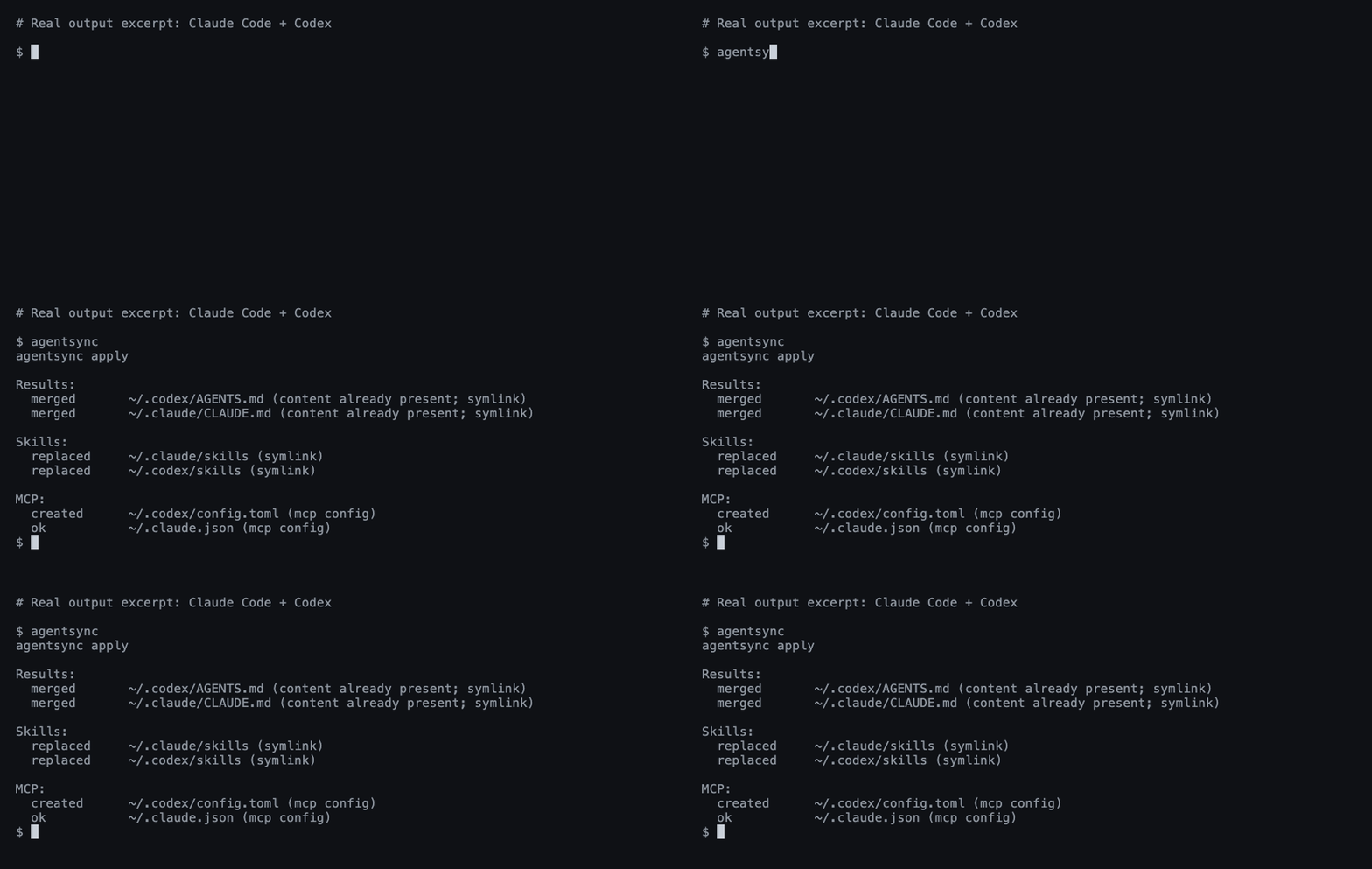
A real Claude Code + Codex run; output excerpted for readability.
Install
Windows — PowerShell:
irm https://raw.githubusercontent.com/x0c/agentsync/main/install.ps1 | iex
macOS / Linux — shell:
curl -fsSL https://raw.githubusercontent.com/x0c/agentsync/main/install.sh | sh
The installers download the matching release archive (agentsync_windows_<arch>.zip on Windows, agentsync_<os>_<arch>.tar.gz on macOS/Linux) and verify its SHA-256 checksum before installing. AGENTSYNC_INSTALL_DIR overrides the default (%LOCALAPPDATA%\Programs\agentsync\bin on Windows, ~/.local/bin on macOS/Linux); the Windows installer adds it to the user PATH.
macOS / Linux — Homebrew:
brew install --cask x0c/tap/agentsync
Any OS — Go 1.25.8+:
go install github.com/x0c/agentsync@latest
Add Go's bin directory to PATH if needed (usually ~/go/bin; %USERPROFILE%\go\bin on Windows).
Without an installer or Go: download and extract a release binary, then put it on PATH. Available for macOS and Linux (arm64 / amd64), and Windows (arm64 / amd64). Checksums are included.
Run
First preview, then apply:
agentsync --check
agentsync
That's it. agentsync merges your existing instructions, collects your skill folders, and imports your MCP servers into one shared source — then links or writes them back to each installed tool in its native format. Files replaced during sync are backed up automatically; tools you haven't installed are skipped.
From then on, maintain these files in ~/.config/agentsync/ (%USERPROFILE%\.config\agentsync\ on Windows):
| File | What you manage once |
|---|---|
AGENTS.md |
Global instructions |
skills/ |
Complete skill folders, including scripts and references |
mcp.json |
MCP servers |
Run agentsync again after changes, or use the optional watcher below.
Optional commands
| Need | Command |
|---|---|
| Preview without writing | agentsync --check |
| Automatically apply source changes | agentsync --watch |
| Restore the latest backup | agentsync --rollback latest |
Link a project's CLAUDE.md to its AGENTS.md |
agentsync --repo |
| Print the version | agentsync --version |
See the workflow guide for background services, batch repository sync, filters, and backup details.
Good to know
- Default sync manages global configuration on this machine. Project files are handled by the separate repository mode.
- Support varies by tool. See instruction and skill support and MCP support.
- Instructions and skills use links where possible. Cursor gets a managed
.mdcrule; on Windows, skill directories link as a symbolic link first, then an NTFS directory junction, otherwise agentsync reports an error naming Windows Developer Mode. See Cursor loading limits. - Exclude servers, skills, or instructions per tool with a
sync-policy.jsonbeside the canonical sources; see filtering. Filtering never removes content from the canonical source. - Edit the shared source. The watcher pushes changes out to your tools; it does not import edits made in another tool's settings. Keep
mcp.jsonlocal: it may contain tokens and machine-specific paths..gitignore/.stignoreentries protectingmcp.jsonare written only when the configuration directory is already a Git repository (.git) or a Syncthing folder (.stfolder). - Safety checks reject unsupported arguments, invalid MCP entries, and unsafe skill-directory overlaps. Your own rules are merged in before copies are generated; Codex servers that share a name keep their local restrictions and authentication options. Rollbacks use collision-resistant backup snapshots, and
latestskips backups with no file changes. See the preservation boundaries.
Questions or a missing tool? Open an issue with the tool name, OS, and redacted output. Contributor instructions: AGENTS.md.
🧩 Related Tools in the AI Coding Suite
If you run multiple AI coding agents daily, check out the rest of the local-first toolkit:
| Repository | Description |
|---|---|
| corral | Run Claude Code, Codex, OpenCode, Cursor & Pi side-by-side in a terminal session manager, then continue from iPhone or Mac. |
| subswap | Check remaining quota and switch Claude Code, Codex, Cursor, Kimi Code & OpenCode accounts without logging out. |
| agent-doc-skills | Navigable project knowledge base skills (doc-init, doc-update, doc-compact) so coding agents don't rediscover your repo every session. |
| sesskit | Parse and export local Claude Code, Codex CLI, and Cursor session transcript files from disk. |
License
Preguntas sobre agentsync MCP
¿Puedo aplicar cambios automáticamente cuando se actualizan los archivos fuente?
Sí, puedes usar el comando opcional --watch para aplicar automáticamente los cambios de la fuente.
¿Qué pasa si una sincronización falla?
La herramienta ofrece una función de rollback para restaurar la última copia de seguridad.