
MCP server de word-aligner
Commit 11 nov 2026Crea diagramas de alineación de palabras que se pueden compartir para conectar visualmente términos entre diferentes idiomas o niveles de traducción.
También conocido como tinygodsdev/bitext-word-alignment, bitext-word-alignment
- Stars
- 5
- Herramientas
- —
- Descargas, 30 días
- —
- Última versión
- 1.0.0
- Último commit
- 11 nov 2026
- Licencia
- MIT
¿Qué es word-aligner MCP?
word-aligner es un MCP server. Crea diagramas de alineación de palabras que se pueden compartir para conectar visualmente términos entre diferentes idiomas o niveles de traducción.
Resumen generado a partir del README del proyecto
Acerca del MCP server de word-aligner
Word Aligner es una herramienta web diseñada para que estudiantes de idiomas, profesores, lingüistas y creadores de conlangs creen diagramas visuales de traducciones palabra por palabra. Permite a los usuarios apilar múltiples filas de texto, como oraciones de origen, traducciones, IPA o glosas, y conectar palabras manualmente mediante conectores curvos. Este enfoque manual garantiza que los usuarios mantengan el control total sobre los enlaces de uno a muchos o de muchos a uno, lo que resulta útil para mostrar reordenamientos de palabras complejos o cambios gramaticales.
Los desarrolladores pueden integrar esta funcionalidad a través de una API HTTP gratuita o un MCP server que proporciona la herramienta create_word_alignment. Cuando se utiliza como un MCP server, funciona mediante streamable HTTP sin necesidad de autenticación. El servidor devuelve una URL para compartir y una imagen de vista previa. Los usuarios pueden personalizar la tipografía, la tokenización y la dirección, incluyendo soporte para escrituras de derecha a izquierda y sistemas de escritura vertical como el japonés tategaki. Los diagramas finales se pueden exportar como archivos PNG, SVG, PDF o HTML.
Qué puedes hacer con él
- 1Visualizar el reordenamiento de la traducciónMuestra cómo las palabras de una oración de origen se mapean con una oración de destino, incluso cuando cambia el orden de las palabras.
- 2Crear glosas lingüísticasGenera glosas interlineales que incluyan alineación de morfemas y anotaciones IPA para estudios académicos.
- 3Documentar lenguas construidasMapea una lengua construida al inglés utilizando fuentes de escritura personalizadas y niveles de anotación adicionales.
- 4Automatizar enlaces de alineaciónGenera programáticamente URLs de alineación para compartir mediante una solicitud POST a la API.
Escrito a partir del README del proyecto. Cada caso de uso se verifica con una cita del mismo.
Cómo instalar word-aligner MCP
Formatos verificados el 10 nov 2026Instalar word-aligner MCP en Claude Code
$ claude mcp add --transport http bitext-word-alignment https://aligner.tinygods.dev/mcpInstalar word-aligner MCP en Cursor
~/.cursor/mcp.json
{
  "mcpServers": {
    "bitext-word-alignment": {
      "url": "https://aligner.tinygods.dev/mcp"
    }
  }
}Instalar word-aligner MCP en VS Code
.vscode/mcp.json
{
  "servers": {
    "bitext-word-alignment": {
      "type": "http",
      "url": "https://aligner.tinygods.dev/mcp"
    }
  }
}Instalar word-aligner MCP en Codex
~/.codex/config.toml
[mcp_servers.bitext-word-alignment]
url = "https://aligner.tinygods.dev/mcp"
Instalar word-aligner MCP en Gemini CLI
~/.gemini/settings.json
{
  "mcpServers": {
    "bitext-word-alignment": {
      "httpUrl": "https://aligner.tinygods.dev/mcp"
    }
  }
}Verificaciones automáticas
Ejecutado 14 nov 2026Informe completo →Aún no verificado. Un servidor necesita una puntuación de 80, ningún hallazgo grave y suficientes datos para que podamos revisarlo. Cómo funcionan las verificaciones

- Repositorio de origen vinculado y accesibletinygodsdev/bitext-word-alignment is public and reachablegithub.com/tinygodsdev/bitext-word-alignment ↗Aprobado
- El paquete cita este repositorio como fuenteNo verificado
- Procedencia de la compilación (atestación Sigstore)No verificado
- Licencia de código abierto (OSI)MITspdx.org/licenses/MIT.html ↗Aprobado
- Commit o lanzamiento en el último añoLast commit or release 2026-11-11github.com/tinygodsdev/bitext-word-alignment ↗Aprobado
- OpenSSF ScorecardNo verificado
- El nombre del paquete no es similar a un paquete popularNo verificado
- Sin avisos críticos en el paquete ni en sus dependenciasNo verificado
- Sin instrucciones ocultas para el modelo0 tool descriptions and the README read; no override phrases, credential paths or hidden charactersAprobado
- Las herramientas destructivas están etiquetadasNo verificado
- El endpoint remoto responde al handshake MCPinitialize answered with protocol 2025-06-18 in 438 msAprobado
README
Ver en GitHubAligner — word-by-word translation visualizer
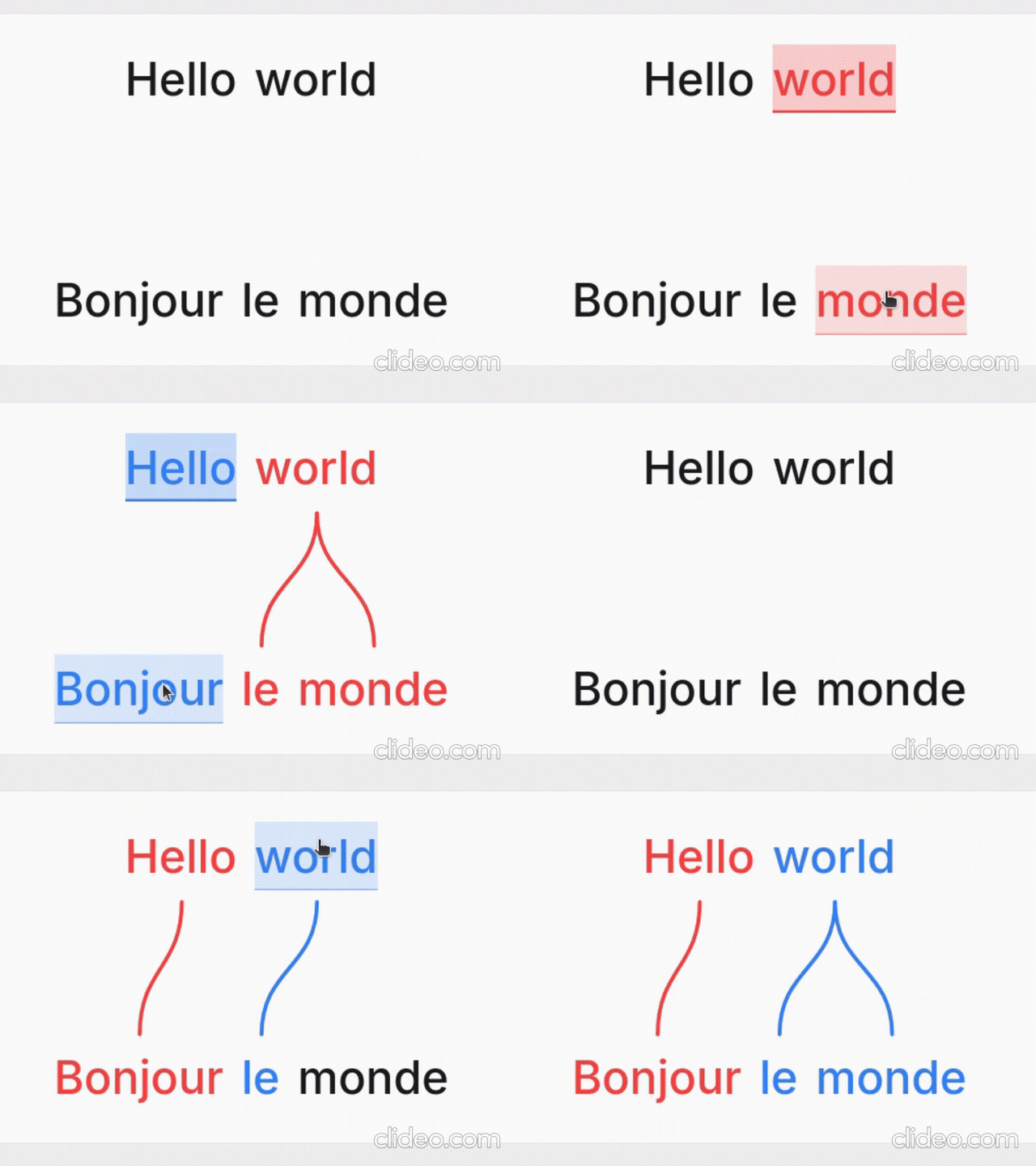
Word Aligner is a free web tool that shows which word matches which across stacked lines of text. Type or paste a sentence and its translation, click a word and then its match on the line above or below, and curved connectors draw the alignment between them. Add extra rows for glosses or IPA, then export the diagram or share it with a link.
No accounts, no machine translation — you stay in control of every link. Great for lessons, social posts, grammar notes, and conlang documentation.
What it's for
- Language learners — see exactly why a translation says what it does: which source word became which target word, what gets dropped, and where word order changes.
- Teachers — build handouts, slides, and flashcards; export a clean PNG or SVG and drop it into a lesson without retyping anything.
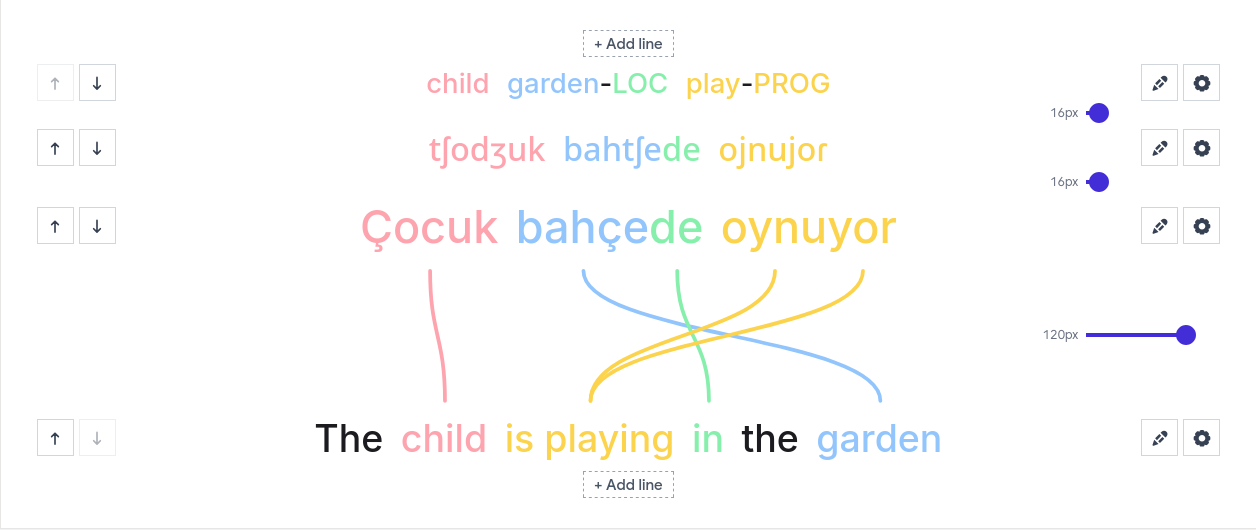
- Linguists — produce Leipzig-style interlinear glosses with morpheme alignment, case/agreement tags, and free translations.
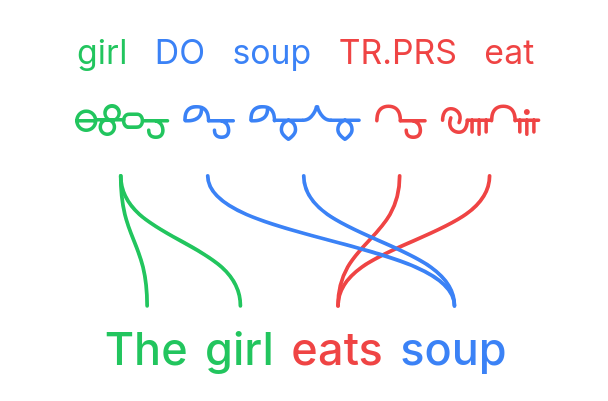
- Conlangers — show how a constructed language maps onto English, with custom script fonts, gloss rows, and IPA.
What it does
- Multi-line alignment — stack as many rows as you need (source, translation, gloss, IPA); links connect vertically adjacent lines.
- Manual word linking — click a word, then its match; supports one-to-many and many-to-one links and freely crossing connectors for reordered translations.
- Interlinear glosses & IPA — add annotation tiers above or below any line.
- Right-to-left scripts — Hebrew, Arabic, and mixed LTR/RTL layouts.
- Vertical writing systems — stand the whole diagram up as columns for Japanese tategaki, Chinese, or traditional Mongolian; characters stack or the line rotates, chosen per line, so a horizontal translation stays readable beside it.
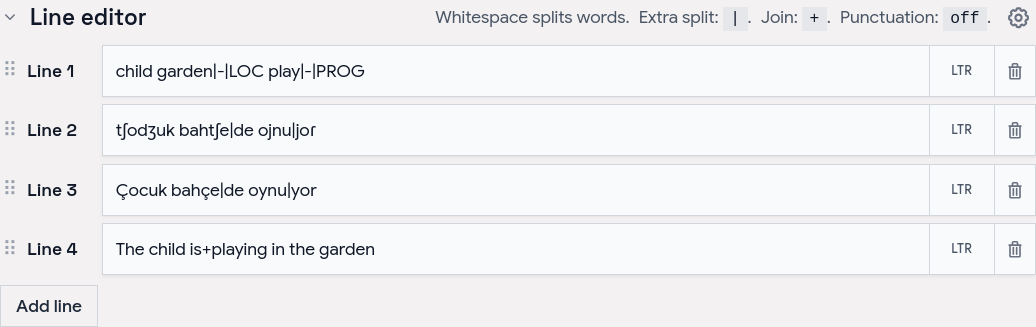
- Tokenization control — choose how text splits into word boxes (split characters, a join marker for fixed expressions, optional punctuation handling).
- Per-line typography — font, size, spacing, and direction per line; custom and Google Fonts.
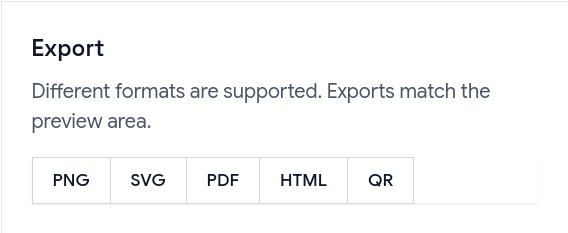
- Exports — PNG, SVG, PDF, and a self-contained HTML file; exports match the preview, including custom-font shaping.
- Shareable URLs — the whole alignment (text, links, and visual settings) is encoded in a
?data=link.
Examples
Browse ready-made examples — bilingual pairs, Turkish interlinear with IPA, RTL scripts, vertical Japanese and traditional Mongolian, Tagalog compounds, Japanese–Chinese–English word order, and more interlinear glosses — at aligner.tinygods.dev/examples. Open any one in the editor to adapt it.
How it works
Edit your lines in the line editor, then link words in the preview.
Tune colors, tokenization, and fonts in settings, then export or share.
Word alignment vs. interlinear vs. parallel text
- Interlinear translation places a gloss directly under each source word — compact, but it hides reordering. Aligner keeps both sentences on their own line and draws connectors, so reorderings, splits, and merges stay obvious.
- Parallel text is side-by-side bilingual reading for long-form study. Aligner focuses on one sentence pair at a time with explicit connectors showing which tokens correspond.
API
Word Aligner has a free HTTP API for generating alignment links programmatically.
POST https://aligner.tinygods.dev/api/align
Content-Type: application/json

{
  "lines": ["Hello world", "Bonjour le monde"],
  "alignments": [[0, 0, 1, 0], [0, 1, 1, 2]]
}
Returns { "url": "https://aligner.tinygods.dev/?data=..." }.
Supports per-line options (font, size, RTL), global visual settings (palette, line style, background), pair-level gap control, and multi-line stacks with selective connectors.
- API docs: aligner.tinygods.dev/api
- OpenAPI schema: aligner.tinygods.dev/api/align/openapi.json
Using Word Aligner as an AI agent tool
The word-aligner-skill/ directory is a ready-to-install skill that teaches AI assistants (Claude, ChatGPT, etc.) how to use the API. Once installed, it enables flows like:
"Translate 'я хочу спать' into English and show me the word alignment."
The agent translates, calls the API, and returns a shareable link.
- For Claude: point your Claude project at this repository or add the contents of
word-aligner-skill/SKILL.mdas a custom instruction. - For ChatGPT: zip
word-aligner-skill/and upload it as a custom Skill.
Install instructions and a downloadable archive are also on the site: aligner.tinygods.dev/skill.
MCP server
There is also an MCP server at https://aligner.tinygods.dev/mcp that exposes a single create_word_alignment tool. It returns a shareable link plus a preview image, and runs inside the same app over Streamable HTTP with no auth. Connect it in Claude:
claude mcp add --transport http word-aligner https://aligner.tinygods.dev/mcp
See docs/mcp-server.md for ChatGPT Developer Mode setup and the tool schema.
Learn more
- App: aligner.tinygods.dev
- About / documentation: aligner.tinygods.dev/about
- Privacy: aligner.tinygods.dev/privacy
Created by Dani Polani. See other tools for linguistics and conlanging.
Preguntas sobre word-aligner MCP
¿Cómo agrego word-aligner MCP a Claude Code?
Ejecuta claude mcp add --transport http bitext-word-alignment https://aligner.tinygods.dev/mcp en tu terminal. Añade --scope user para que esté disponible en todos los proyectos.
¿Cómo agrego word-aligner MCP a Cursor?
Abre ~/.cursor/mcp.json y añade el servidor en mcpServers, usando la configuración de Cursor que se muestra en la sección de instalación de arriba.
¿Para qué puedo usar Word Aligner?
Lo utilizan estudiantes de idiomas para ver coincidencias de palabras, profesores para crear material didáctico, lingüistas para glosas interlineales y creadores de conlangs para mapear lenguas construidas.
¿Puedo exportar los diagramas?
Sí, puedes exportar tus alineaciones como PNG, SVG, PDF o un archivo HTML independiente.
¿Cómo comparto mi trabajo?
Puedes compartir tu alineación mediante un enlace que codifica todo el texto, los enlaces y la configuración visual.