
Proporciona memoria local y contexto a los agentes de IA gestionando tareas, notas y documentos como archivos Markdown en tu disco.
También conocido como rgdevment/mcp-plugins, tisty-mcp
- Stars
- 1
- Herramientas
- —
- Descargas, 30 días
- —
- Última versión
- —
- Último commit
- 14 nov 2026
- Licencia
- Apache-2.0
¿Qué es Tisty MCP?
Proporciona memoria local y contexto a los agentes de IA gestionando tareas, notas y documentos como archivos Markdown en tu disco.
Resumen generado a partir del README del proyecto
Acerca del MCP server de Tisty
mcp-plugins permite dotar a los agentes de IA de una memoria persistente mediante archivos Markdown locales. Al usar el plugin de Tisty, los desarrolladores pueden evitar que los asistentes pierdan el contexto entre sesiones. El sistema gestiona tareas con pasos específicos, diarios con fechas y documentos organizados por temas directamente en tu disco de Windows o macOS. Esta configuración garantiza que cada etapa del trabajo de un agente, desde la planificación inicial hasta las decisiones finales, quede registrada en un formato auditable en lugar de perderse en el historial de un chat.
Para utilizarlo, necesitas tener instalados la aplicación Tisty y Node.js en tu ordenador. Puedes conectarte a través de Claude Code, Gemini CLI o Cursor. El plugin de Tisty utiliza un pequeño lanzador para conectar tu asistente con la aplicación local, asegurando que el servidor siempre coincida con tus datos. Funciona sin cuentas, suscripciones ni telemetría, manteniendo toda la información privada en tu propio hardware. El agente puede leer documentos largos por secciones, organizar tareas en carpetas y gestionar notas adhesivas en Brainstorm para organizar ideas.
Qué puedes hacer con él
- 1Mantener el contexto de proyectos a largo plazoPide a tu agente de IA que recupere información de sesiones anteriores accediendo a los documentos Markdown almacenados.
- 2Gestionar flujos de trabajo de tareas estructuradasHaz que un asistente descomponga trabajos complejos en pasos específicos y realice un seguimiento del progreso mediante tareas fechadas.
- 3Lectura eficiente de archivos grandesInstruye a un agente para que analice partes específicas de un documento en lugar de procesar el archivo completo de una sola vez.
- 4Organizar ideas espontáneasUtiliza la función Brainstorm para capturar pensamientos rápidos que luego pueden convertirse en tareas o documentos formales.
Escrito a partir del README del proyecto. Cada caso de uso se verifica con una cita del mismo.
Cómo instalar Tisty MCP
Formatos verificados el 10 nov 2026Añadir a CursorAñadir a GooseInstalar Tisty MCP en Claude Code
$ claude mcp add mcp-plugins -- npx -y tisty-mcpInstalar Tisty MCP en Cursor
~/.cursor/mcp.json
{
  "mcpServers": {
    "mcp-plugins": {
      "command": "npx",
      "args": [
        "-y",
        "tisty-mcp"
      ]
    }
  }
}Instalar Tisty MCP en VS Code
.vscode/mcp.json
{
  "servers": {
    "mcp-plugins": {
      "type": "stdio",
      "command": "npx",
      "args": [
        "-y",
        "tisty-mcp"
      ]
    }
  }
}Instalar Tisty MCP en VS Code CLI
$ code --add-mcp '{"name":"mcp-plugins","type":"stdio","command":"npx","args":["-y","tisty-mcp"]}'Instalar Tisty MCP en Claude Desktop
claude_desktop_config.json
{
  "mcpServers": {
    "mcp-plugins": {
      "command": "npx",
      "args": [
        "-y",
        "tisty-mcp"
      ]
    }
  }
}Instalar Tisty MCP en Codex
$ codex mcp add mcp-plugins -- npx -y tisty-mcpInstalar Tisty MCP en Codex config.toml
~/.codex/config.toml
[mcp_servers.mcp-plugins]
command = "npx"
args = ["-y", "tisty-mcp"]
Instalar Tisty MCP en Gemini CLI
$ gemini mcp add -s user mcp-plugins npx -- -y tisty-mcpInstalar Tisty MCP en Gemini settings.json
~/.gemini/settings.json
{
  "mcpServers": {
    "mcp-plugins": {
      "command": "npx",
      "args": [
        "-y",
        "tisty-mcp"
      ]
    }
  }
}Verificaciones automáticas
Ejecutado 14 nov 2026Informe completo →Pasó nuestras verificaciones automáticas. Esto no es una auditoría de seguridad: lee el código y dale al servidor el acceso más limitado que necesite. Cómo funcionan las verificaciones

- Repositorio de origen vinculado y accesiblergdevment/mcp-plugins is public and reachablegithub.com/rgdevment/mcp-plugins ↗Aprobado
- El paquete indica este repositorio como su origentisty-mcp names rgdevment/mcp-plugins as sourcenpmjs.com/package/tisty-mcp ↗Aprobado
- Procedencia de la compilación (atestación de Sigstore)Sigstore attestation for tisty-mcpnpmjs.com/package/tisty-mcp/v/1.3.1#provenance ↗Aprobado
- Licencia de código abierto (OSI)Apache-2.0spdx.org/licenses/Apache-2.0.html ↗Aprobado
- Commit o lanzamiento en el último añoLast commit or release 2026-11-12github.com/rgdevment/mcp-plugins ↗Aprobado
- OpenSSF ScorecardNo verificado
- El nombre del paquete no es similar a un paquete popularNo popular package one edit away from tisty-mcpAprobado
- No hay avisos críticos en el paquete ni en sus dependenciasNo verificado
- Sin instrucciones ocultas para el modelo0 tool descriptions and the README read; no override phrases, credential paths or hidden charactersAprobado
- Las herramientas destructivas están etiquetadasNo verificado
- El endpoint remoto responde al handshake de MCPNo verificado
README
Ver en GitHubmcp-plugins
Plugins that connect assistants to apps by rgdevment. Each plugin brings an app's MCP server and a skill that teaches the assistant how to work with it. The apps run on your own computer; the plugins only tell your assistant how to reach them.
Install
Claude Code, in one step:
/plugin install tisty --marketplace rgdevment/mcp-plugins
Or add the marketplace first and install from it:
/plugin marketplace add rgdevment/mcp-plugins
/plugin install tisty@rgdevment
Gemini CLI:
gemini extensions install https://github.com/rgdevment/mcp-plugins
Cursor: install from the Cursor Directory, or add this repository as a plugin source in Cursor's settings.
Plugins
Tisty
Local memory and context for you and your AI agent. Your agent forgets everything when the session ends; Tisty keeps it. Tasks with steps and a dated journal, and documents one per subject, as plain Markdown on your own disk, for Windows and macOS. Ideas caught on the fly wait as sticky notes in Brainstorm, to become a task or go into a document later. No account, no subscription, no telemetry, no server. With the plugin, your assistant picks up where it left off by asking what moved since last time, reads a long document by its outline and one section instead of the whole file, files tasks with steps and dates, sets reminders, writes and edits documents passage by passage, files them into folders, jots and sorts ideas with you and searches open and archived work. It never closes or deletes anything: it says a task is done and you confirm it.
Your agents' work, in the open. Through Tisty, an agent plans in documents and works in tasks: it writes the plan, what it found and what it decided as Markdown, breaks the work into tasks with steps and ticks them off as it goes. Nothing stays buried in a chat: every stage lands in Tisty, on your computer, where you can follow it as it happens and audit it later. When it says a task is done, you are the one who closes it.
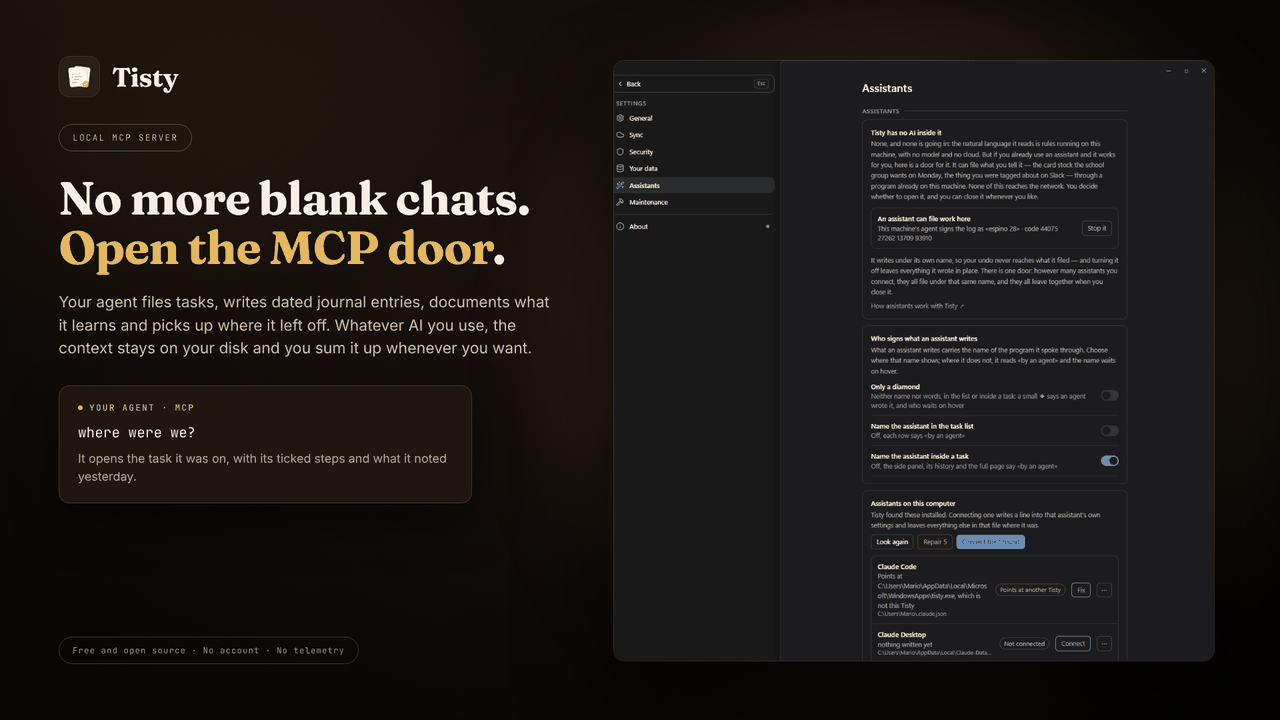
Requires the Tisty app and Node.js. A small launcher finds the Tisty
installed on your computer and starts its own MCP server, so the server always
matches the app and your data. Without Tisty, it tells your assistant how to
install it. Other assistants, such as GitHub Copilot in VS Code, take the same
launcher from npm: npx -y tisty-mcp. More in the plugin's readme.
| Install Tisty | |
|---|---|
| Windows | Microsoft Store or winget install rgdevment.Tisty |
| macOS | brew tap rgdevment/tap && brew trust rgdevment/tap && brew install --cask tisty |
| Every way | Installation guide |
If your assistant does not see Tisty's tools, restart it after installing Tisty. Connect Tisty either with this plugin or from Tisty's Settings › Assistants, not both, so the assistant does not run Tisty's server twice.
| Learn more | |
|---|---|
| Website | https://www.tisty.app/ |
| Documentation | https://www.tisty.app/docs/ |
| Assistants and MCP | https://www.tisty.app/docs/assistants-and-mcp/ |
| What an assistant may do | https://www.tisty.app/docs/mcp-permissions/ |
| MCP tools | https://www.tisty.app/docs/mcp-tools/ |
| Writing in Tisty | https://markdown.tisty.app |
| Privacy | https://www.tisty.app/privacy/ |
| Official MCP Registry | io.github.rgdevment/tisty |
| Source | https://github.com/rgdevment/Tisty |
| Issues | https://github.com/rgdevment/Tisty/issues |
Layout
.claude-plugin/marketplace.json   Claude Code marketplace
.cursor-plugin/marketplace.json   Cursor marketplace
gemini-extension.json             Gemini CLI extension (the Tisty plugin)
plugins/<app>/                    one folder per plugin, with each host's manifest,
                                  its MCP config, its skills and its launcher
test/                             tests for the launchers
listings/                         manifests some directories publish from
Licence
Apache-2.0. Each app keeps its own licence: Tisty is AGPL-3.0. Report a problem with an app in that app's own issues.
Preguntas sobre Tisty MCP
¿Cómo agrego Tisty MCP a Claude Code?
Ejecuta claude mcp add mcp-plugins -- npx -y tisty-mcp en tu terminal. Añade --scope user para que esté disponible en todos los proyectos.
¿Cómo agrego Tisty MCP a Cursor?
Abre ~/.cursor/mcp.json y añade el servidor en mcpServers, usando la configuración de Cursor que se muestra en la sección de instalación de arriba.
¿Cómo gestiona Tisty la privacidad y los datos?
Tisty funciona localmente en tu ordenador sin cuentas, sin suscripciones, sin telemetría y sin servidores.
¿Cuáles son los requisitos del sistema para Tisty?
Para usar el plugin de Tisty necesitas tener instalada la aplicación Tisty en tu ordenador y Node.js.
¿Puedo usar Tisty con VS Code?
Sí, otros asistentes como GitHub Copilot en VS Code pueden usar el lanzador de Tisty a través de npm.