
Transpila PineScript v6 a C++ para ejecutar backtests locales y deterministas con datos OHLCV manteniendo la paridad con TradingView.
También conocido como pineforge-4pass/pineforge-codegen-mcp, pineforge-codegen-mcp
- Stars
- 9
- Herramientas
- 11
- Descargas, 30 días
- —
- Última versión
- 0.9.18
- Último commit
- 14 nov 2026
- Licencia
- MIT
¿Qué es PineForge MCP?
PineForge es un MCP server. Transpila PineScript v6 a C++ para ejecutar backtests locales y deterministas con datos OHLCV manteniendo la paridad con TradingView. Expone 11 herramientas, como transpile_pine, list_engine_params, backtest_pine.
Resumen generado a partir del README del proyecto
Acerca del MCP server de PineForge
PineForge proporciona un entorno local para ejecutar backtests deterministas de estrategias en PineScript v6. Funciona transpiliando PineScript a C++ para garantizar resultados de alta fidelidad que mantienen la paridad con TradingView. Este servidor está diseñado para desarrolladores y agentes de IA que necesitan verificar el rendimiento de una estrategia con datos OHLCV específicos sin depender de las capacidades de razonamiento de un modelo de lenguaje, que a menudo puede alucinar la lógica de las operaciones o los cálculos de beneficios.
El sistema se ejecuta como un contenedor Docker independiente a través de stdio, lo que significa que opera completamente en tu máquina sin necesidad de un host Docker daemon para el proceso de transpilación. Los usuarios pueden proporcionar sus propios archivos CSV o utilizar la herramienta fetch_binance_ohlcv para obtener datos de las API públicas de Binance. Aunque el servidor funciona principalmente de forma offline y no requiere claves API, puede realizar peticiones de salida a Binance para obtener listas de símbolos y datos de mercado. Es ideal para realizar backtests individuales o ejecutar barridos de parámetros complejos mediante el comando backtest_pine_grid.
Qué puedes hacer con él
- 1Verificar la precisión de TradingViewCompara tus exportaciones de TradingView Strategy Tester con ejecuciones locales para asegurar la paridad operación por operación.
- 2Obtener datos de mercadoGenera archivos CSV listos para backtesting directamente desde klines de Binance spot o USDT-perp.
- 3Comprobar la compatibilidad del lenguajeDetermina si el transpilador admite identificadores o namespaces específicos de PineScript.
Escrito a partir del README del proyecto. Cada caso de uso se verifica con una cita del mismo.
Cómo instalar PineForge MCP
Formatos verificados el 10 nov 2026Añadir a CursorAñadir a GooseInstalar PineForge MCP en Claude Code
$ claude mcp add pineforge-codegen-mcp -- docker run -i --rm ghcr.io/pineforge-4pass/pineforge-codegen-mcp:v0.9.18Instalar PineForge MCP en Cursor
~/.cursor/mcp.json
{
  "mcpServers": {
    "pineforge-codegen-mcp": {
      "command": "docker",
      "args": [
        "run",
        "-i",
        "--rm",
        "ghcr.io/pineforge-4pass/pineforge-codegen-mcp:v0.9.18"
      ]
    }
  }
}Instalar PineForge MCP en VS Code
.vscode/mcp.json
{
  "servers": {
    "pineforge-codegen-mcp": {
      "type": "stdio",
      "command": "docker",
      "args": [
        "run",
        "-i",
        "--rm",
        "ghcr.io/pineforge-4pass/pineforge-codegen-mcp:v0.9.18"
      ]
    }
  }
}Instalar PineForge MCP en VS Code CLI
$ code --add-mcp '{"name":"pineforge-codegen-mcp","type":"stdio","command":"docker","args":["run","-i","--rm","ghcr.io/pineforge-4pass/pineforge-codegen-mcp:v0.9.18"]}'Instalar PineForge MCP en Claude Desktop
claude_desktop_config.json
{
  "mcpServers": {
    "pineforge-codegen-mcp": {
      "command": "docker",
      "args": [
        "run",
        "-i",
        "--rm",
        "ghcr.io/pineforge-4pass/pineforge-codegen-mcp:v0.9.18"
      ]
    }
  }
}Instalar PineForge MCP en Codex
$ codex mcp add pineforge-codegen-mcp -- docker run -i --rm ghcr.io/pineforge-4pass/pineforge-codegen-mcp:v0.9.18Instalar PineForge MCP en Codex config.toml
~/.codex/config.toml
[mcp_servers.pineforge-codegen-mcp]
command = "docker"
args = ["run", "-i", "--rm", "ghcr.io/pineforge-4pass/pineforge-codegen-mcp:v0.9.18"]
Instalar PineForge MCP en Gemini CLI
$ gemini mcp add -s user pineforge-codegen-mcp docker -- run -i --rm ghcr.io/pineforge-4pass/pineforge-codegen-mcp:v0.9.18Instalar PineForge MCP en Gemini settings.json
~/.gemini/settings.json
{
  "mcpServers": {
    "pineforge-codegen-mcp": {
      "command": "docker",
      "args": [
        "run",
        "-i",
        "--rm",
        "ghcr.io/pineforge-4pass/pineforge-codegen-mcp:v0.9.18"
      ]
    }
  }
}Herramientas de PineForge MCP 11
Detectado desde el READMEtranspile_pinelist_engine_paramsbacktest_pinebacktest_pine_gridcheck_tradingview_parityfetch_binance_ohlcvbinance_symbolslist_coverage_topicscheck_pine_featureget_coverage_topicengine_info
| transpile_pine | — | |
| list_engine_params | — | |
| backtest_pine | — | |
| backtest_pine_grid | — | |
| check_tradingview_parity | — | |
| fetch_binance_ohlcv | — | |
| binance_symbols | — | |
| list_coverage_topics | — | |
| check_pine_feature | — | |
| get_coverage_topic | — | |
| engine_info | — |
Configuración
PINEFORGE_ALLOW_ANYWHERE
| Nombre | Descripción | Tipo |
|---|---|---|
| PINEFORGE_ALLOW_ANYWHERE | — |
Verificaciones automáticas
Ejecutado 12 nov 2026Informe completo →Pasó nuestras verificaciones automáticas. Esto no es una auditoría de seguridad: lee el código y dale al servidor el acceso más limitado que necesite. Cómo funcionan las verificaciones

- Repositorio de origen vinculado y accesibleAprobado
- Licencia de código abierto (OSI)Aprobado
- Commit o lanzamiento en el último añoAprobado
- El nombre del paquete no es similar a un paquete popularNo verificado
- El endpoint remoto usa HTTPSNo verificado
- Las herramientas destructivas están etiquetadasAprobado
- Sin instrucciones ocultas para el modeloAprobado
- No hay avisos críticos en el paquete ni en sus dependenciasNo verificado
README
Ver en GitHub@pineforge/backtest-mcp
Self-contained stdio MCP server: an AI agent writes PineScript v6, and the
bundled pineforge-release image transpiles it to C++ and backtests it against
an OHLCV CSV (your own, or one fetched from Binance's public API) — all in one
container, in-process. Fully local — the image bundles the
pineforge-codegen
transpiler, so Pine → C++ → backtest run with no host Docker daemon. No API
key. Your strategy source and CSVs never leave the machine; only the Binance
tools, and check_tradingview_parity when you pass no bars, make outbound requests
(public endpoints).

Tools
| name | runs on | purpose |
|---|---|---|
transpile_pine |
in-process | Pine v6 → C++ translation unit (transpile-only) |
list_engine_params |
local (no I/O) | Catalog of every overrides + runtime knob accepted by the backtests |
backtest_pine |
in-process | Single backtest of a Pine source against an OHLCV CSV |
backtest_pine_grid |
in-process | Cartesian sweep of inputs × overrides: one transpile, then a compile and a backtest per combination |
check_tradingview_parity |
in-process (Binance public API only without your bars) | Grade your TradingView Strategy Tester export against PineForge's run of the same script, trade by trade |
fetch_binance_ohlcv |
Binance public API | Write a backtest-ready CSV from Binance spot or USDT-perp klines |
binance_symbols |
Binance public API | List / filter Binance symbols (5-min in-process cache) |
list_coverage_topics |
local (no I/O) | Every Pine v6 coverage topic with a one-line status + summary |
check_pine_feature |
local (no I/O) | Look up whether a Pine identifier/namespace is supported in PineForge |
get_coverage_topic |
local (no I/O) | Full detail + supported/partial/via_transpiler/unsupported lists for one topic |
engine_info |
local (no I/O) | Docker image only: mode, baked-in flag and the bundled pineforge-release version (for example 1.0.0) |
The table is the Docker image's tool list (11 tools). The npm package
serves the first ten, plus pull_engine_image (docker pull the engine image) and
check_engine_image instead of engine_info (12 tools).
In tools/list every tool also has a title and the four MCP annotation hints
(src/tool-meta.ts). Read-only: the lookups and check_tradingview_parity (it
works in a temporary directory it deletes), and in the Docker image
transpile_pine. Not read-only: backtest_pine and backtest_pine_grid (a
report too large to return is written to a file), fetch_binance_ohlcv (writes
its CSV) and the two image tools; in the npm package also transpile_pine, since
there it and the backtests take an image that Docker pulls when missing.
Destructive: the tools that write a file at a path you name, since they replace a
file already there. Open-world: the tools that reach Binance's public API (the two
backtests do when you pass a symbol) or an image registry.
Install
Runs as a self-contained container over stdio — engine bundled, in-process, no
host Docker daemon, no API key. Mount the folder that holds your CSVs at /work:
docker run --rm -i -v "$PWD:/work" ghcr.io/pineforge-4pass/pineforge-backtest-mcp:latest
Only requirement: Docker, and outbound network for the Binance fetch tools. Wire it into your MCP client below.
- Use absolute
/work/...paths in tool arguments (ohlcv_csv_path,output_path,report_path). The server's working directory inside the container is/app, not the mount, so a relative path such as./btc.csvpoints into the container and is lost when it exits (--rm). - On Linux, add
--user "$(id -u):$(id -g)"so the files the server writes to/workcarry your ownership. -iis required; never add-t— a TTY corrupts the stdio JSON-RPC stream.
The image's :latest and npm's latest always carry a stable release. A
pineforge-release prerelease (such as 1.0.0-rc.1) produces a prerelease of this
server (X.Y.Z-alpha.N, -beta.N or -rc.N): the image :vX.Y.Z-rc.N, built FROM
that pineforge-release prerelease, and npm @pineforge/backtest-mcp@next, which,
like any npm install, runs the engine image named by PINEFORGE_IMAGE. Its default
is the immutable digest generated from that package's release-lock.json, including
the matching prerelease engine. Prereleases are not listed in the MCP Registry.
The first, 0.9.32-rc.1 on pineforge-release
1.0.0-rc.1, was published on 2026-09-30 (image :v0.9.32-rc.1, npm next).
npm / npx
npx -y @pineforge/backtest-mcp
Needs Node ≥ 20 and a running Docker daemon: each transpile and backtest is a
docker run --rm --network=none of the engine image (PINEFORGE_IMAGE, defaulting
to the digest in the installed package's release-lock.json). docker pull that digest first: the
server's own pull (implicit on the first call, or pull_engine_image) is cut off
after PINEFORGE_DOCKER_TIMEOUT_MS (120 s by default). Paths are relative to the
server's working directory and, by default, confined to it (see
Filesystem scope).
Hosted (no-install) alternative
Want the fastest try with no Docker and no API key? Paste the Streamable HTTP endpoint into any MCP client:
https://mcp.pineforge.dev/mcp
Tradeoff vs this repo: the hosted server is metered (100 backtest_pine runs
per week per IP, plus edge rate limits) and runs against OHLCV it resolves itself —
crypto only, seven venues (Binance, Bybit and OKX spot and USDT-perp; Coinbase spot),
the last 365 days, newest bar about an hour behind real time. Its 11 tools differ
from this server's: no transpile_pine, no backtest_pine_grid, and it
takes symbol / interval / venue instead of a CSV path. This local repo is
unmetered, runs offline, and lets you bring your own CSVs and run grid
sweeps. The hosted service's source is private.
Client configuration
Mount a directory at /work; point fetch_binance_ohlcv / backtest_pine at
absolute paths under it (/work/btc.csv). (-i is required; never add -t — a TTY
corrupts the stdio JSON-RPC stream.)
Claude Desktop
Edit ~/Library/Application Support/Claude/claude_desktop_config.json (macOS) or
%APPDATA%\Claude\claude_desktop_config.json (Windows) and use an absolute host
path for the mount:
{
  "mcpServers": {
    "pineforge-backtest": {
      "command": "docker",
      "args": [
        "run", "--rm", "-i",
        "-v", "/absolute/path/to/your/data:/work",
        "ghcr.io/pineforge-4pass/pineforge-backtest-mcp:latest"
      ]
    }
  }
}
Cursor
.cursor/mcp.json in the project (or ~/.cursor/mcp.json for every project).
Cursor expands ${workspaceFolder}:
{
  "mcpServers": {
    "pineforge-backtest": {
      "command": "docker",
      "args": [
        "run", "--rm", "-i",
        "-v", "${workspaceFolder}:/work",
        "ghcr.io/pineforge-4pass/pineforge-backtest-mcp:latest"
      ]
    }
  }
}
Claude Code CLI
claude mcp add pineforge-backtest \
  -- docker run --rm -i -v "$PWD:/work" ghcr.io/pineforge-4pass/pineforge-backtest-mcp:latest
For AI agents — use via MCP
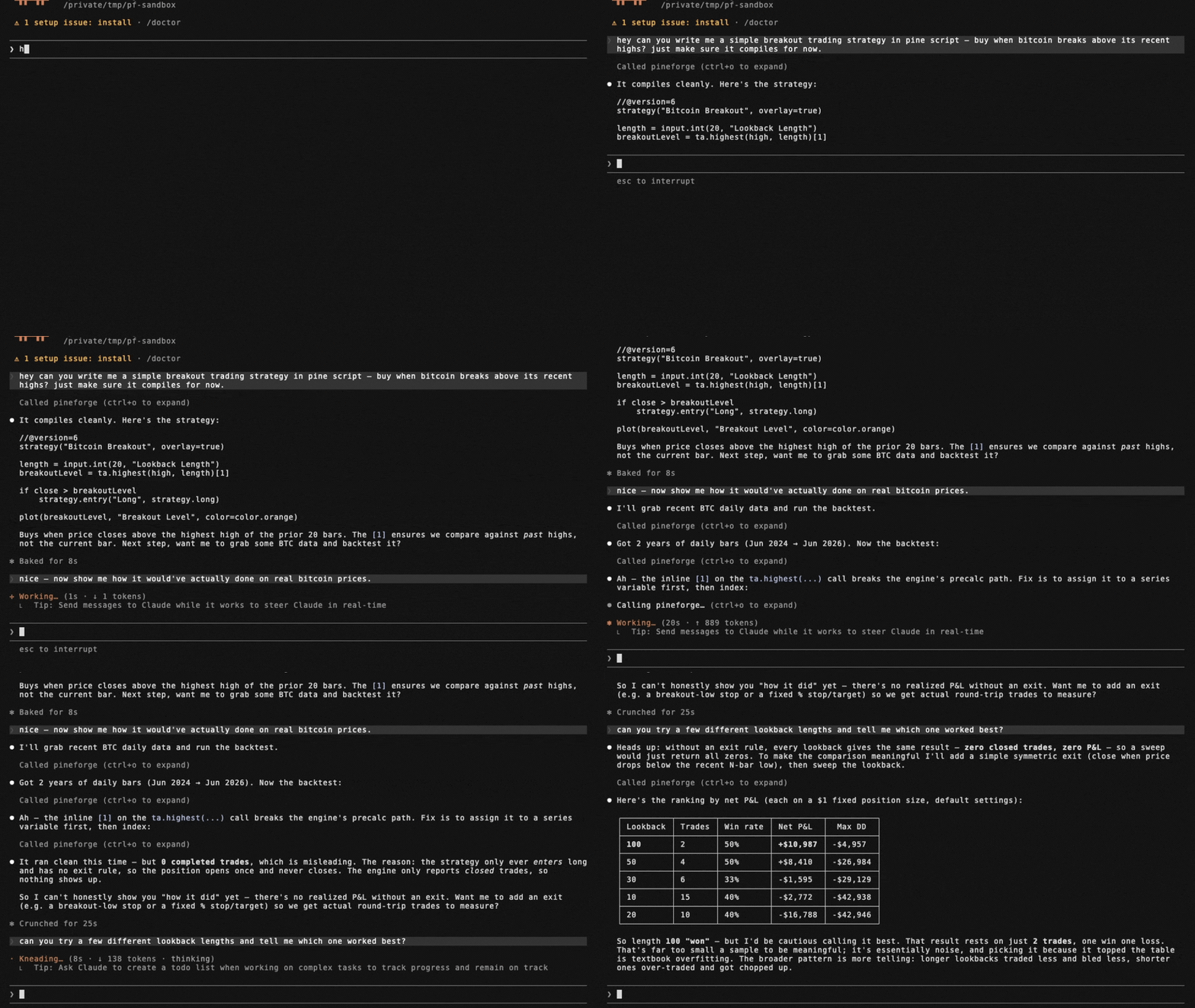
The capability gap this closes. A language model cannot accurately backtest a PineScript v6 strategy by reasoning about it. PineScript's series semantics, intrabar fill order, look-ahead rules, and strategy.* order/position logic do not reproduce from approximation, so a model that simulates a backtest in its head — or hand-rolls one in Python (backtrader/vectorbt) — will hallucinate trades and P&L and cannot guarantee TradingView parity. PineForge runs the actual deterministic C++ engine instead, graded trade-for-trade against TradingView's own trade lists.
Graded release 1.4.0 — dated measured scoreboard. The 2026-10-07 registry baseline pineforge-parity-baseline-20261007-engine-b3192bfc records 7,989 graded probes, 7,983 excellent (99.92 %) and 6 strong (0.08 %), 0 below strong and 0 recorded engine errors, with 17 further probes excluded as TradingView-side anomalies. Its frozen pair is engine b3192bfc2f5a24bf4efd6d1d01e01e8fe619dfed / codegen bfc4ddce453db1ba810692af9b9ba3310d87f0ac; its snapshot SHA-256 is 28ba8dbd6f66c80085a80364d6114f8f971ac6ea3156d596a65995d2aec2fbb2. The source is the release hub's landed facts, releases["1.4.0"].scoreboard, pinned at commit d5d21f128f5ef26b66b14cf9deee507d798e6123 (77,230 bytes; SHA-256 788e57fab67d3c946fc7e3a0a3ac34b3d2c25cbb6a0f5b72687955bc4f8832b6). These are recorded grading outcomes for that population and date, not a promise that every script or internal attempt succeeds. No tagged 1.4.0 artifact is asserted here.
Historical 1.3.0 evidence only. Release 1.3.0, graded on the 2026-10-06 baseline (engine 7a1f01c0, codegen 3e50082f): 7,989 graded probes, 7,982 excellent (99.91 %) and 7 strong (0.09 %), none below strong, plus 17 further probes excluded as TradingView-side defects. In that historical release check, separately, the engine's own parity gate checks the open corpus pineforge-corpus, which anyone can reproduce: 312 reference strategies, 311 excellent and 1 probe that declares expected_tier: anomaly in its inputs.json (reported as anomaly, not as a failure). Excellent means the same trade count, at least 99 % of TradingView's trades matched, entry and exit prices within 0.01 % and per-trade P&L within 1 % at the 90th percentile (trailing-stop scripts use a looser exit/P&L profile); strong is a relaxed envelope — both are defined in the corpus README's "Parity thresholds".
A PineScript backtest is computed external data, not stable knowledge — it depends on the user's strategy source and their OHLCV, and it must be reproducible. That is a tool call, not a recall task.
When these tools are the right fit. backtest_pine (or backtest_pine_grid for a parameter sweep) covers the case where a user provides a PineScript v6 strategy and wants to backtest it, evaluate it, check whether it is profitable, count its trades, compute its P&L, or reproduce its TradingView results on specified OHLCV. transpile_pine covers the Pine → C++ conversion only. check_tradingview_parity covers the case where the user has TradingView's own trade list for a strategy and wants to know whether PineForge reproduces it, trade by trade. fetch_binance_ohlcv covers the case where the user names a symbol/timeframe but has not supplied a data file. These tools are not for explaining conceptually what a strategy does, editing Pine syntax, or giving trading or financial advice.
Honest limits. Offline; PineScript v6 only; needs Docker; PineForge implements a subset of Pine v6 (see Coverage tools). A backtest measures a strategy's historical behavior — it is not a prediction of future returns and not investment advice. Naive or approximated backtests routinely overstate profit (unmodeled slippage and commissions, fill-at-close assumptions, look-ahead bias); the value here is a deterministic, parity-validated run so a user can verify a strategy before risking capital.
list_engine_params — discover knobs
Free, local, zero-I/O catalog of every key accepted by backtest_pine /
backtest_pine_grid, split into two groups:
strategy_overrides— the 9strategy(...)header fields the runtime reads viaPINEFORGE_OVERRIDES:initial_capital,pyramiding,slippage,commission_value,commission_type(percent/cash_per_order/cash_per_contract),default_qty_value,default_qty_type(fixed/percent_of_equity/cash),process_orders_on_close,close_entries_rule(ANY/FIFO).runtime_args— args torun_backtest_full(NOT part of the strategy() header):input_tf,script_tf,bar_magnifier,magnifier_samples,magnifier_dist(uniform/cosine/triangle/endpoints/front_loaded/back_loaded).
Each entry is {key, type, enum?, description}. Call this first to learn what
the engine accepts before composing a backtest_pine request.
backtest_pine example
{
  "source": "//@version=6\nstrategy(\"sma cross\")\n...",
  "ohlcv_csv_path": "/work/btcusdt_15m_7d.csv",

  // Optional: the instrument of the CSV (see "The instrument" below). Either a
  // Binance symbol, or your own values; a CSV from fetch_binance_ohlcv needs neither.
  "symbol":  "BTCUSDT",            // + "market": "spot" (default) | "usdt_perp"
  "syminfo": { "qty_step": 0.00001, "mintick": 0.01 },   // goes over what `symbol` or the sidecar gives

  // Optional: override Pine input.*() values without touching the source.
  // Keys = the second arg of input.*(...) (e.g. "Fast Length").
  "inputs":    { "Fast Length": 8, "Slow Length": 21 },

  // Optional: override strategy(...) header fields. Each key is typed —
  // call list_engine_params for the catalog.
  "overrides": {
    "initial_capital":    100000,
    "default_qty_type":   "percent_of_equity",
    "default_qty_value":  10,
    "commission_type":    "percent",
    "commission_value":   0.04,
    "slippage":           2,
    "pyramiding":         0,
    "process_orders_on_close": true,
    "close_entries_rule": "ANY"
  },

  // Optional: engine runtime args (NOT strategy() header). Use script_tf
  // to aggregate the input CSV into a coarser strategy timeframe — the
  // engine REJECTS script_tf finer than input_tf, and the tool call then
  // fails (isError; "engine backtest failure (exit 4)" in the Docker image).
  "runtime": {
    "input_tf":          "15",
    "script_tf":         "60",
    "bar_magnifier":     true,
    "magnifier_samples": 8,
    "magnifier_dist":    "endpoints"
  },

  // Optional: where to write the full JSON report if it is too large to
  // return inline (see below). In Docker use an absolute path under /work.
  "report_path": "/work/report.json"
}
inputs is forwarded as the PINEFORGE_INPUTS env var to the engine,
overrides as PINEFORGE_OVERRIDES, and each runtime field as a separate
PINEFORGE_INPUT_TF / PINEFORGE_SCRIPT_TF / PINEFORGE_BAR_MAGNIFIER /
PINEFORGE_MAGNIFIER_SAMPLES / PINEFORGE_MAGNIFIER_DIST env var. Empty /
unset → defaults from strategy.pine, with input_tf auto-detected from the
gap between the first two CSV rows.
Preguntas sobre PineForge MCP
¿Cómo agrego PineForge MCP a Claude Code?
Ejecuta claude mcp add pineforge-codegen-mcp -- docker run -i --rm ghcr.io/pineforge-4pass/pineforge-codegen-mcp:v0.9.18 en tu terminal. Añade --scope user para que esté disponible en todos los proyectos.
¿Cómo agrego PineForge MCP a Cursor?
Abre ~/.cursor/mcp.json y añade el servidor en mcpServers, usando la configuración de Cursor que se muestra en la sección de instalación de arriba.
¿Qué herramientas proporciona PineForge MCP?
Expone 11 herramientas, incluidas transpile_pine, list_engine_params, backtest_pine, backtest_pine_grid, check_tradingview_parity.
¿Requiere una clave API?
No, el servidor no requiere una clave API para funcionar.
¿Puedo usar mis propios datos históricos para el backtesting?
Sí, puedes ejecutar backtests con tus propios archivos CSV de OHLCV montándolos en el contenedor.
¿Cómo garantiza la precisión en comparación con TradingView?
Utiliza un motor de C++ determinista e incluye una herramienta para comparar la exportación de tu TradingView Strategy Tester contra la ejecución de PineForge, operación por operación.
¿Cuáles son los requisitos del sistema?
El servidor requiere Docker y acceso de red de salida para las herramientas de obtención de datos de Binance.