
MCP server de consult-opencode
Commit 5 sept 2026Delega tareas independientes a los modelos de nivel gratuito de opencode como un subagente de un solo paso para flujos de trabajo de programación.
También conocido como jayden99236/consult-opencode
- Stars
- 0
- Herramientas
- —
- Descargas, 30 días
- —
- Última versión
- 0.1.1
- Último commit
- 5 sept 2026
- Licencia
- MIT
¿Qué es consult-opencode MCP?
consult-opencode es un MCP server. Delega tareas independientes a los modelos de nivel gratuito de opencode como un subagente de un solo paso para flujos de trabajo de programación.
Resumen generado a partir del README del proyecto
Acerca del MCP server de consult-opencode
Delegar pequeñas tareas de programación independientes a modelos de nivel gratuito es lo que consult-opencode permite a los desarrolladores que utilizan agentes de IA principales. En lugar de gastar turnos de modelos costosos en peticiones menores, como redactar un regex o resumir un archivo, puedes delegar estas subtareas al namespace del proveedor opencode. Esta configuración funciona como un subagente de un solo paso que devuelve respuestas de texto directamente a tu flujo de trabajo.
Los usuarios pueden integrar esto mediante un MCP server para acceder directamente a las herramientas en clientes como Claude Desktop, Claude Code, Cursor o Windsurf. Requiere tener instalado Node.js y el CLI de opencode en tu sistema. El servidor proporciona una herramienta consult_opencode que utiliza por defecto el modelo opencode/big-pickle, sin necesidad de API keys ni configuraciones complejas. Para entornos que solo admiten comandos de shell, hay disponible un script de CLI para ejecutar tareas a través de la terminal o mediante pipes.
Qué puedes hacer con él
- 1Delegar tareas menores de programaciónPide al subagente que se encargue de peticiones pequeñas, como escribir tests de boilerplate, para ahorrar los turnos de tu modelo principal.
- 2Resumir archivos de códigoProporciona un archivo a través de un pipe para obtener una explicación rápida de su contenido.
- 3Automatizar mediante scripts de shellEjecuta el script de CLI dentro de un pipeline para capturar los resultados de las tareas en un formato programable.
Escrito a partir del README del proyecto. Cada caso de uso se verifica con una cita del mismo.
README
Ver en GitHubconsult-opencode

Delegate a self-contained task to opencode as a one-shot subagent, from any coding agent (or human) that can run a shell command — or, more directly, straight from inside an AI chat client via MCP.
Listed on the official MCP Registry as io.github.jayden99236/consult-opencode, with a one-click .mcpb bundle attached to each release for Claude Desktop and other MCPB-compatible clients.
Demo
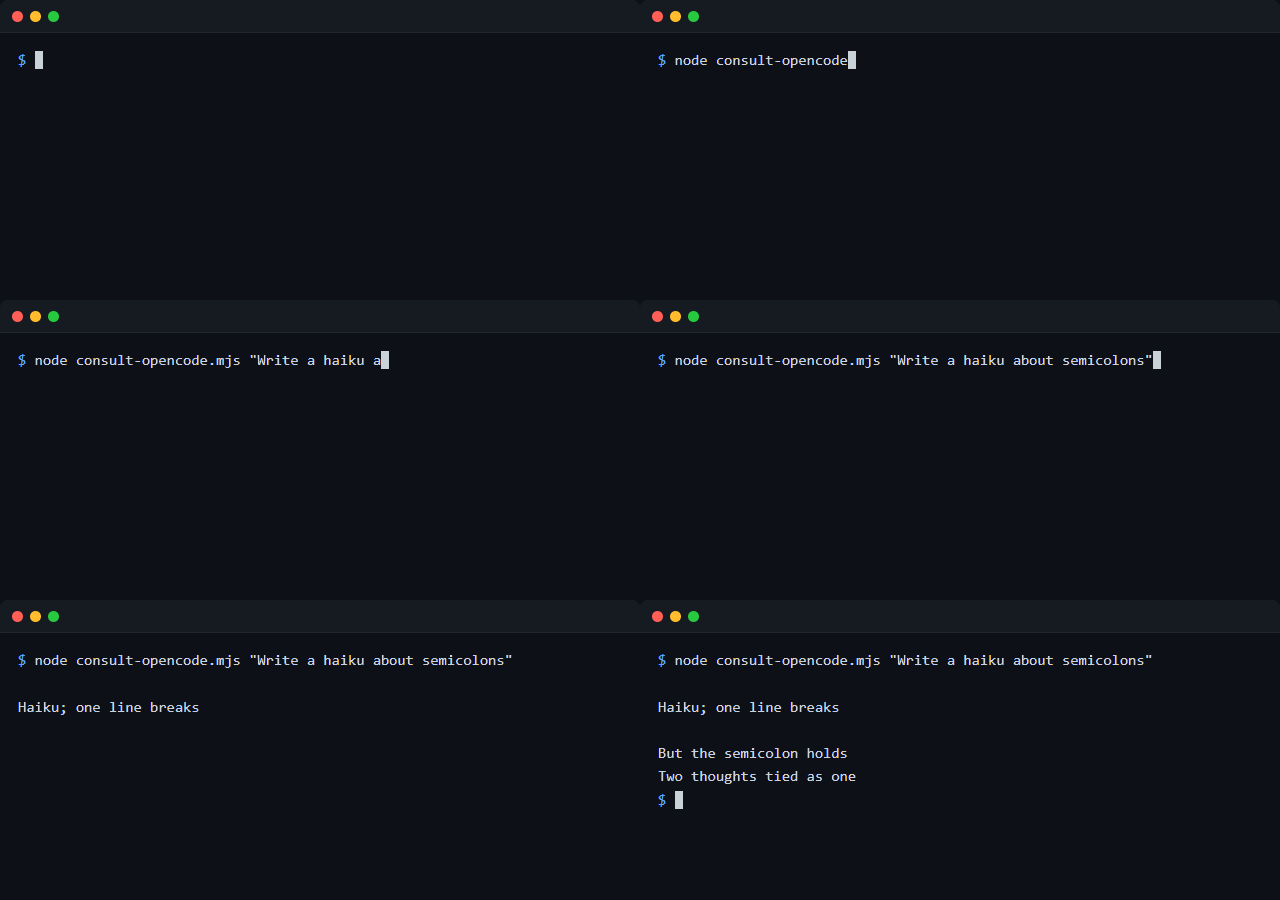
Why
If you're driving an expensive/primary coding agent (Claude, GPT, etc.) through a session, it's often wasteful to spend one of its own turns on something small and self-contained: summarizing a file, drafting a regex, writing a boilerplate test, getting a second opinion. opencode ships its own free-tier models under the opencode/ provider namespace — zero config, no API key required. This repo gives you two ways to reach it:
- MCP server (
mcp-server.mjs) — the easiest path. Add it once to your AI chat client's config and the model gets a nativeconsult_opencodetool, no shell commands involved. See Direct integration below. - CLI script (
consult-opencode.mjs) — zero dependencies, for agents/scripts that can only run shell commands, or for calling it yourself from a terminal.
Both wrap the same core logic in lib.mjs.
Requirements
The CLI script itself (consult-opencode.mjs + lib.mjs) has no dependencies beyond Node built-ins. The MCP server additionally needs @modelcontextprotocol/sdk and zod — run npm install in this repo to get those (see below).
Direct integration (MCP server)
MCP is the standard way to give an AI chat client a native tool without it having to shell out to anything. Once configured, the model just sees a consult_opencode tool it can call directly.
git clone https://github.com/jayden99236/consult-opencode.git
cd consult-opencode
npm install
Claude Desktop
Add to your claude_desktop_config.json (find it here):
{
  "mcpServers": {
    "consult-opencode": {
      "command": "node",
      "args": ["/absolute/path/to/consult-opencode/mcp-server.mjs"]
    }
  }
}
Restart Claude Desktop and consult_opencode shows up as an available tool.
Claude Code
claude mcp add consult-opencode -- node /absolute/path/to/consult-opencode/mcp-server.mjs
Or add it to a project's .mcp.json directly using the same mcpServers block shown above.
Other MCP clients (Cursor, Windsurf, etc.)
Any MCP-compatible client takes the same shape: a command (node) and args (the absolute path to mcp-server.mjs), configured as a stdio server. Check your client's docs for where that config lives — the mcpServers entry above is portable as-is.
The tool takes task (required) and an optional model (defaults to opencode/big-pickle, opencode's free tier), and returns the subagent's response as text.
CLI usage
node consult-opencode.mjs "Summarize what this function does: ..."
Or install it globally to get a consult-opencode command:
npm install -g .
consult-opencode "Write a regex for US zip codes"
Pipe a task in instead of passing it as an argument:
cat some-file.js | consult-opencode "Explain what this file does"
Options
| Flag | Description |
|---|---|
--model <provider/model> |
Model to use (default: opencode/big-pickle, opencode's free tier). Once you've authenticated another provider in opencode (opencode providers login), you can point this at it, e.g. --model anthropic/claude-haiku-4-5. |
--json |
Print { model, text, cost } as JSON instead of plain text. |
-h, --help |
Show usage. |
From another agent
Most coding agents can just run this as a shell command and read its stdout:
node /path/to/consult-opencode.mjs "task description here"
Exit code is non-zero on failure, with the error on stderr; stdout carries only the result text (or the JSON blob with --json), so it composes cleanly in scripts and pipelines.
The Windows gotcha this script works around
opencode's compiled Windows binary (opencode.exe) has been observed to hang indefinitely when its stdout is an anonymous pipe — which is exactly what Node's child_process gives you by default when you capture a child process's output. This reproduced consistently (6/6 runs) across both a direct .exe spawn and a shell-wrapped one.
The fix: redirect the child's stdout/stderr to a real temp file on disk, then read the file back once the process exits, instead of piping. This works reliably on Windows and is harmless on other platforms, so consult-opencode always does it this way regardless of OS.
If you're integrating with opencode from your own Node tooling and see a hang with zero output, this is almost certainly why.
License
MIT
Preguntas sobre consult-opencode MCP
¿Necesito una API key para usar esto?
No, opencode incluye sus propios modelos de nivel gratuito bajo el namespace del proveedor opencode/, lo que no requiere configuración ni API key.