
MCP server de PlainText Wallet Approval Checker
Commit 29 oct 2026Traduce aprobaciones de billeteras cripto y solicitudes de firma complejas en veredictos de lenguaje sencillo como SAFE, CAUTION o RISK.
También conocido como Fizzl13/SmartContractExplainer, smartcontractexplainer
- Stars
- 1
- Herramientas
- —
- Descargas, 30 días
- —
- Última versión
- 1.1.2
- Último commit
- 29 oct 2026
- Licencia
- —
¿Qué es PlainText Wallet Approval Checker MCP?
PlainText Wallet Approval Checker es un MCP server. Traduce aprobaciones de billeteras cripto y solicitudes de firma complejas en veredictos de lenguaje sencillo como SAFE, CAUTION o RISK.
Resumen generado a partir del README del proyecto
Acerca del MCP server de PlainText Wallet Approval Checker
PlainText Wallet Approval Checker ayuda a los usuarios a comprender las implicaciones de seguridad de las aprobaciones de billeteras de criptomonedas y las solicitudes de firma. Traduce datos técnicos en veredictos simples como SAFE, CAUTION o RISK. El servicio funciona consultando las aprobaciones de tokens y NFT a través de la GoPlus Security API y utilizando Claude para generar explicaciones legibles para humanos sobre los hallazgos.
Los desarrolladores pueden ejecutar esta aplicación Node.js localmente o desplegarla en Render. La configuración del servidor requiere una ANTHROPIC_API_KEY, y se puede usar un GOPLUS_ACCESS_TOKEN opcional para evitar el límite del nivel gratuito de 30 llamadas por minuto. Para usuarios avanzados, el sistema puede utilizar presign-guard para realizar auditorías en transacciones, firmas de datos tipados o aprobaciones reales usando una FIZZL_INTERNAL_KEY. La aplicación es stateless y no almacena ningún dato del usuario durante el proceso de verificación.
Qué puedes hacer con él
- 1Auditar la seguridad de transaccionesUtiliza la integración con presign-guard para verificar la seguridad de transacciones y firmas de datos tipados.
- 2Monitorear seguridad vía APIIntegra verificaciones de seguridad automatizadas en agentes que requieran códigos de razón y veredictos específicos.
Escrito a partir del README del proyecto. Cada caso de uso se verifica con una cita del mismo.
Cómo instalar PlainText Wallet Approval Checker MCP
Formatos verificados el 10 nov 2026Añadir a CursorAñadir a GooseInstalar PlainText Wallet Approval Checker MCP en Claude Code
$ claude mcp add --transport http smartcontractexplainer https://plaintext.fizzl.eu/mcpInstalar PlainText Wallet Approval Checker MCP en Cursor
~/.cursor/mcp.json
{
  "mcpServers": {
    "smartcontractexplainer": {
      "url": "https://plaintext.fizzl.eu/mcp"
    }
  }
}Instalar PlainText Wallet Approval Checker MCP en VS Code
.vscode/mcp.json
{
  "servers": {
    "smartcontractexplainer": {
      "type": "http",
      "url": "https://plaintext.fizzl.eu/mcp"
    }
  }
}Instalar PlainText Wallet Approval Checker MCP en VS Code CLI
$ code --add-mcp '{"name":"smartcontractexplainer","type":"http","url":"https://plaintext.fizzl.eu/mcp"}'Instalar PlainText Wallet Approval Checker MCP en Codex
$ codex mcp add smartcontractexplainer --url https://plaintext.fizzl.eu/mcpInstalar PlainText Wallet Approval Checker MCP en Codex config.toml
~/.codex/config.toml
[mcp_servers.smartcontractexplainer]
url = "https://plaintext.fizzl.eu/mcp"
Instalar PlainText Wallet Approval Checker MCP en Gemini CLI
$ gemini mcp add -s user --transport http smartcontractexplainer https://plaintext.fizzl.eu/mcpInstalar PlainText Wallet Approval Checker MCP en Gemini settings.json
~/.gemini/settings.json
{
  "mcpServers": {
    "smartcontractexplainer": {
      "url": "https://plaintext.fizzl.eu/mcp",
      "type": "http"
    }
  }
}Verificaciones automáticas
Ejecutado 15 nov 2026Informe completo →Aún no verificado. Un servidor necesita una puntuación de 80, ningún hallazgo grave y suficientes datos para que podamos revisarlo. Cómo funcionan las verificaciones · Qué corregir para obtener más puntos

- Repositorio de origen vinculado y accesiblefizzl13/smartcontractexplainer is public and reachablegithub.com/fizzl13/smartcontractexplainer ↗Aprobado
- El paquete indica este repositorio como su origenNo verificado
- Procedencia de la compilación (atestación de Sigstore)No verificado
- Licencia de código abierto (OSI)No licenseHallazgo
- Commit o lanzamiento en el último añoLast commit or release 2026-10-29github.com/fizzl13/smartcontractexplainer ↗Aprobado
- OpenSSF ScorecardNo verificado
- El nombre del paquete no es similar a un paquete popularNo verificado
- No hay avisos críticos en el paquete ni en sus dependenciasNo verificado
- Sin instrucciones ocultas para el modelo0 tool descriptions and the README read; no override phrases, credential paths or hidden charactersAprobado
- Las herramientas destructivas están etiquetadasNo verificado
- El endpoint remoto responde al handshake de MCPEndpoint did not answer initialize: HTTP 200Hallazgo
README
Ver en GitHubPlainText — wallet approval translator

Built on presign-guard: PlainText's verdicts now come from presign-guard (the same checks, sanctions list, wallet age and signed receipt); PlainText adds the explanation in plain language for people.
POST /api/check-wallet($0.04) uses presign-guard's approval audit,POST /api/explain($0.03) its pre-sign check when the payload is a real approval, transaction or typed-data signature (anything else is explained by the model alone,source: "model"). Agents that only need the verdict and reason codes can call presign-guard directly ($0.01–$0.02). NeedsFIZZL_INTERNAL_KEY(the same value on both services, Render only); without it the old path (GoPlus + Claude) runs.
A small Node.js app that looks up a wallet's token/NFT approvals via the GoPlus Security API and asks Claude to explain them in plain language.
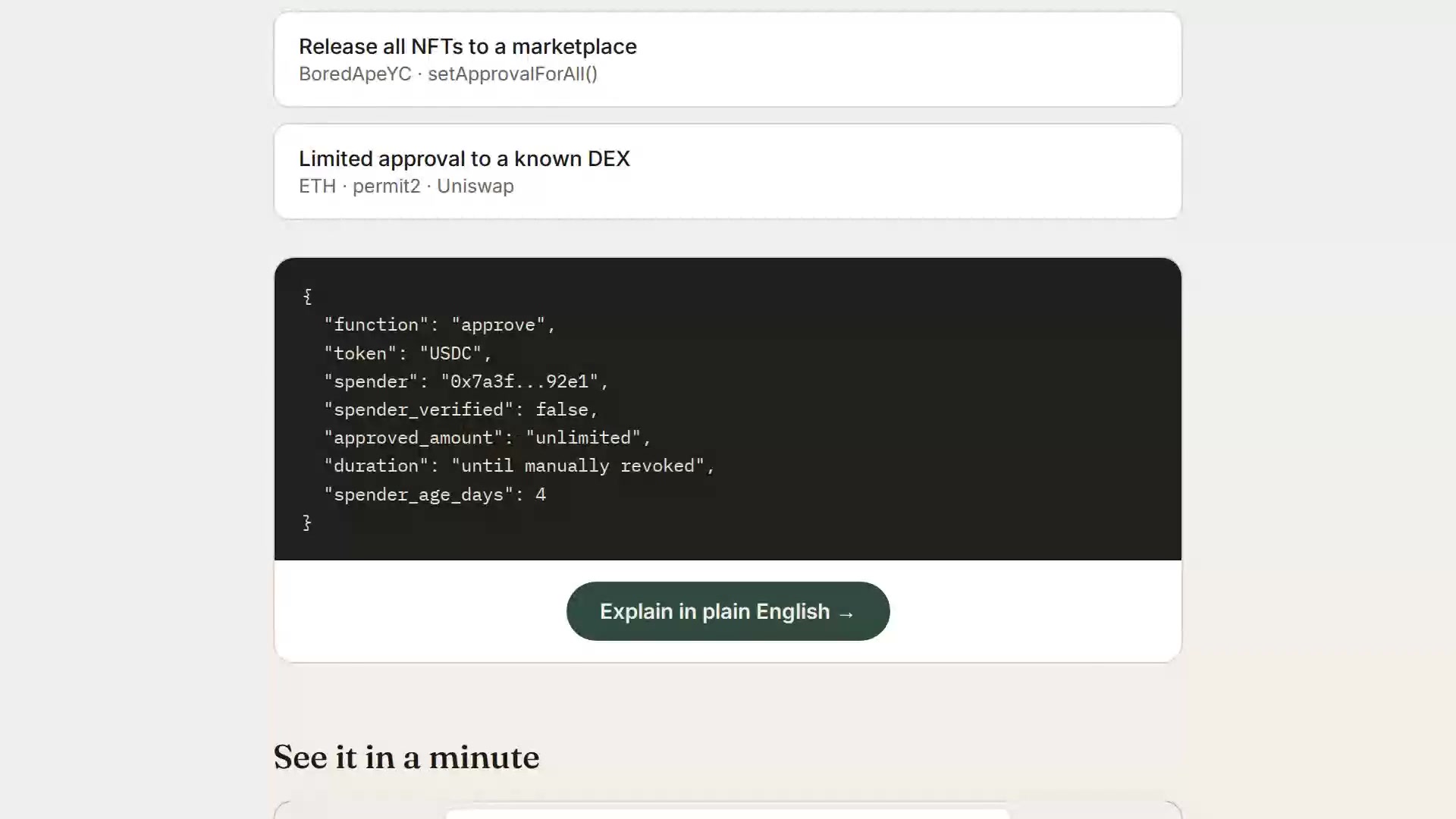
▶ Watch the 1-minute explainer · Live: https://plaintext.fizzl.eu
Project structure
plaintext-wallet/
├── server.js          Express backend (GoPlus + Anthropic calls)
├── media.js           Serves the explainer video from the explainer-video branch
├── feedback.js        POST /feedback and the MCP tool feedback (same file in every Fizzl service)
├── media/explainer/   Script and pipeline for the explainer video
├── package.json
├── render.yaml         Render deploy config (optional, see below)
├── .env.example         Copy to .env for local dev
└── public/
    └── index.html      Frontend (wallet check + demo scenarios)
Feedback
Found a bug, or missing something? Send it with POST /feedback (free, no payment) or the MCP tool feedback:
curl -X POST https://plaintext.fizzl.eu/feedback \
  -H 'content-type: application/json' \
  -d '{"type": "feature", "message": "Support Solana wallets", "endpoint": "/api/check-wallet"}'
type is bug, feature or other; message is required (up to 2000 characters); endpoint and contact are optional. The answer is 202 with an id. At most 10 reports per hour per caller. Reports go to the usage log, and a person reads every one; nothing in a report is run or changed automatically. GET /feedback shows the schema.
1. Run it locally first
cd plaintext-wallet
npm install
cp .env.example .env
# edit .env and paste your ANTHROPIC_API_KEY
npm start
Open http://localhost:3000 — try the "Try a sample" tab first (no API keys needed besides Anthropic), then "Check a wallet" with a real address once you're happy it works.
2. Deploy to Render
Option A — one-click via render.yaml (Blueprint)
- Push this folder to a new GitHub repo.
- In the Render dashboard: New + → Blueprint → select your repo.
Render reads
render.yamlautomatically and creates the web service. - When prompted, fill in the environment variables:
ANTHROPIC_API_KEY— required, from console.anthropic.comGOPLUS_ACCESS_TOKEN— optional, only needed if you outgrow GoPlus's free 30 calls/minute limit (see console.gopluslabs.io)
- Click Apply — Render builds and deploys automatically.
Option B — manual web service (no render.yaml needed)
- Push this folder to a GitHub repo.
- Render dashboard → New + → Web Service → connect your repo.
- Settings:
- Environment: Node
- Build Command:
npm install - Start Command:
npm start - Instance Type: Free (fine for a prototype)
- Under Environment Variables, add
ANTHROPIC_API_KEY(and optionallyGOPLUS_ACCESS_TOKEN). - Click Create Web Service. Render gives you a
https://<name>.onrender.comURL once the build finishes.
Render's free tier spins the service down after inactivity — the first request after idling will take ~30-50 seconds to wake up. That's normal and fine for a prototype you're sharing for feedback.
Notes on the GoPlus integration
- The wallet check calls
token_approval_securityornft721_approval_securityunderhttps://api.gopluslabs.io/api/v2/.... This is documented but the GoPlus docs site is JS-rendered, so before you rely on this in front of real users, do one manual test call (e.g. withcurl) against a wallet you control, and compare the actual JSON shape to whatserver.jsexpects — field names occasionally shift between GoPlus API versions. - The free GoPlus tier is capped at 30 calls/minute — plenty for early testing, but rate-limit errors will surface as a plain error message in the UI if you exceed it.
- No user data is stored anywhere in this app — every check is a stateless round trip. If you later add accounts, saved wallets, or history, update this note (and your own privacy policy) accordingly.
Costs to expect
- Render free tier: $0/month, with the cold-start behavior above. A paid tier ($7/month "Starter") removes the spin-down if this gets real usage.
- Anthropic API: pay-per-use, billed to whatever key you provide. A single explanation call is small (well under 1K tokens), so cost per check will be a fraction of a cent — but keep an eye on your usage dashboard if this gets shared widely, since there's no rate limiting built into this prototype yet.
Preguntas sobre PlainText Wallet Approval Checker MCP
¿Cómo agrego PlainText Wallet Approval Checker MCP a Claude Code?
Ejecuta claude mcp add --transport http smartcontractexplainer https://plaintext.fizzl.eu/mcp en tu terminal. Añade --scope user para que esté disponible en todos los proyectos.
¿Cómo agrego PlainText Wallet Approval Checker MCP a Cursor?
Abre ~/.cursor/mcp.json y añade el servidor en mcpServers, usando la configuración de Cursor que se muestra en la sección de instalación de arriba.
¿Cómo determina el servicio la seguridad de una billetera?
Utiliza la GoPlus Security API para consultar las aprobaciones de tokens y NFT, y emplea Claude para explicar los hallazgos en lenguaje sencillo.
¿La aplicación almacena datos del usuario?
No, la aplicación no tiene estado (stateless) y no almacena ningún dato del usuario durante el proceso de verificación.